liveBook · Manning

Custom resource definition

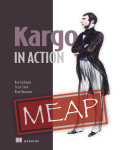
As explained in Kargo in Action

A Kubernetes API extension that defines a new resource type and its schema for storing domain-specific objects.

A custom resource definition (CRD) extends the Kubernetes API with a resource type and schema. Kargo uses CRDs to represent its domain model as Kubernetes resources that can be created, updated, deleted, and queried with kubectl and YAML. section 3.1

A CRD defines the resource type; Kargo controllers watch resources and reconcile state. Installing Kargo includes its CRDs, controllers, RBAC, and supporting resources. Chart versions differ: some install CRDs automatically, while others require a separate step. section 3.1 section 3.4

Listing 3.10 Verifying the Kargo installation
kubectl get crds | grep -i kargo                                #1
kubectl get deployments -n kargo                                #2
kubectl logs -n kargo deploy/kargo-controller --tail=200        #3
kubectl get clusterroles | grep -i kargo                        #4

After installation, check that Kargo CRDs exist and verify controller health and RBAC; missing CRDs or permission errors can cause later resource failures. section 3.4
How Kargo in Action covers it

How deep it goes
Defines the API-extension role and installation checks, but stops short of describing schema fields.
Examples
Uses Kargo CRD installation and kubectl checks for CRD presence, controller health, and RBAC.
What it assumes
Requires a Kubernetes cluster and privileges to create CRDs; uses kubectl, while local clusters suffice for walkthroughs.
What you can do after
Operate/configure Kargo by installing its CRDs and verifying their presence alongside controller health and RBAC.
How it connects
Connects Kubernetes API resources with kubectl, YAML, controllers, and Helm-based installation.

Also explained in

Compare how 8 books explain custom resource definition →

Related concepts

This explainer was generated by Manning's knowledge graph from the text of Kargo in Action. The section links point to the parts of the book it draws on.