d3.forceCenter() creates a centering force that moves a whole cluster of nodes toward a chosen position. Set that position with its x() and y() accessors. Unlike x and y positioning forces, it translates the entire system together, preserving its original shape rather than moving particles independently. section 12.4.1
Use a centering force when a simulation needs to stay positioned without changing the layout produced by its other forces:
- Apply collision or link-related forces to arrange nodes, then translate the resulting cluster toward the intended coordinate. section 12.4.1
- Use forceX() and forceY() instead when individual nodes must be pulled toward positions, such as values in a beeswarm chart. section 12.4.1
Centering a network
A network simulation can combine forceCenter() with forces that control node interaction. The centering force keeps the complete node system moving as one unit toward the chosen location, while other forces determine its internal arrangement. section 12.4.1
Figure 12.16 The centering force moves an entire system of particles, or nodes, toward the coordinates passed to the x() and y() accessor functions.
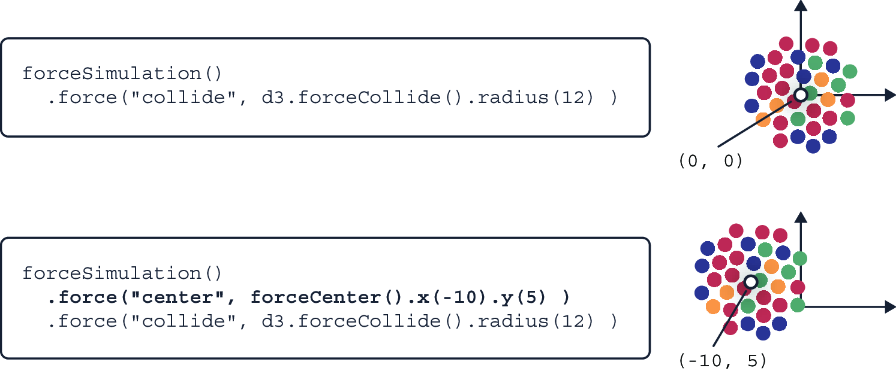
Compare the node system before and after centering: every particle moves toward the supplied coordinates together. section 12.4.1
