A diagnostic setting configures Azure resource logs and metrics for collection and routes them to a selected monitoring, storage, event, or partner destination. Resource and activity logs are not collected automatically, so enabling the setting supports investigation of suspicious activity and potential compromise. section 9.10 section 9.2
Choose the destination according to how the telemetry will be used:
- Send it to a Log Analytics workspace (LAW) for queries, alerts, and visualizations alongside other data. section 9.3
- Send it to an Azure Storage account for cost-effective log and metric archiving. section 9.3
- Send it to an Azure Event Hub when data must leave Azure, such as for an external SIEM. section 9.3
- Use an Azure Monitor partner integration when a specialized non-Microsoft monitoring platform is already in use. section 9.3
Configure Key Vault logging
In Azure Monitor, open Diagnostic Settings, filter by the Key Vault subscription and resource group, select the vault, and choose Add Diagnostic Setting. Name it, such as Audit; select platform logs and metrics such as allLogs; choose a destination such as a LAW; select its subscription and workspace; then save. Data should appear in the destination within 90 minutes. Each setting supports one destination, so sending data to multiple destinations requires multiple settings, with a maximum of five per resource. section 9.3.1 section 9.3
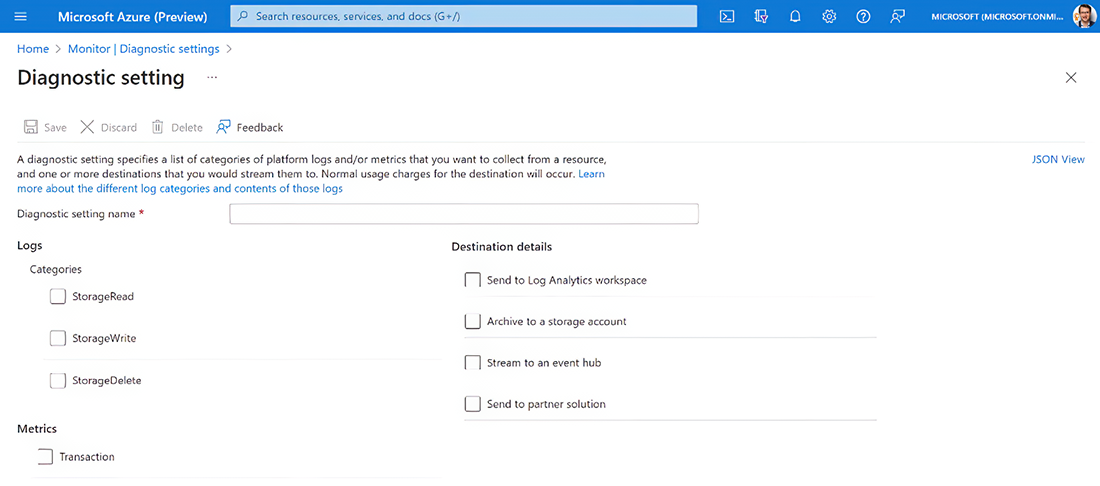
Use the configuration view to identify the resource, selected telemetry, and destination settings. section 9.3.1
