Drag and drop lets users move a selected item to a destination and release it there. In a task manager, it reprioritizes steps by moving them within a task list. section 13.0
Implement the interaction by combining event handling with list updates:
- Use HTML5 drag-and-drop with draggable, dragstart, dragover, dragenter, dragleave, and drop events. section 13.5
- Alternatively, build the interaction from mousedown, mousemove, and mouseup events. section 13.5
- Represent valid drop positions explicitly, including before the first item and after the last item. section 13.5
- Update the reducer so a step can move to an arbitrary position, while accounting for moves earlier or later in the list. section 13.5
Moving a task step
A reducer action can describe the operation as moveStepTo({ taskId, step, position }). Render an insertion target between every pair of steps, attach onDrop to those targets, and use onDragEnter, onDragLeave, and onDragOver to make them valid drop zones. section 13.5
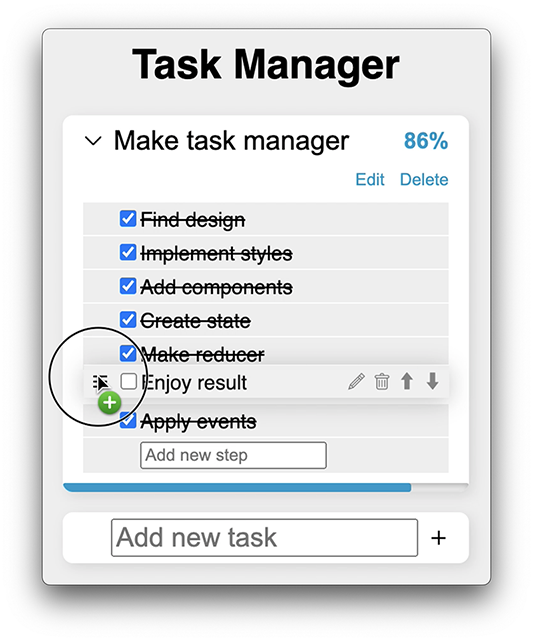
Visualizes steps being dragged within a task list for reprioritization. section 13.0
