Edge alignment positions elements along an invisible line at a composition’s top, bottom, left, or right edge. It establishes order, relationships, structure, and readability—even in unconventional layouts. section 2.1.2
Use edge alignment to make interface decisions more coherent:
- Align related components to the same edge so their grouping feels intentional. section 2.1.2
- Check text alignment separately; mixing alignments inside one component can make it feel less cohesive. section 2.1.2
- Use consistent alignment for order, or alternate aligned sections deliberately to differentiate content and draw the eye. section 2.1.2
A more orderly content card
A hotel listing can feel disjointed when hotel names are centered above images. Aligning the content left and placing each name below its image makes the components read as orderly rectangles.
Figure 2.15 The different types of edge alignment. From top left to right: left alignment, top alignment, right alignment, bottom alignment.
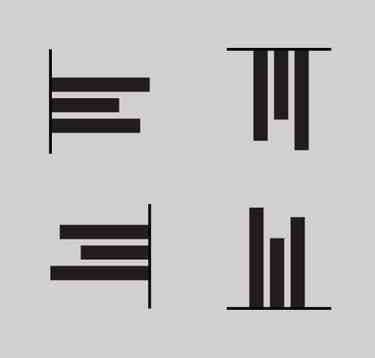
Compare left, top, right, and bottom edge alignment at a glance. section 2.1.2
