| Directive examples |
Explanation |
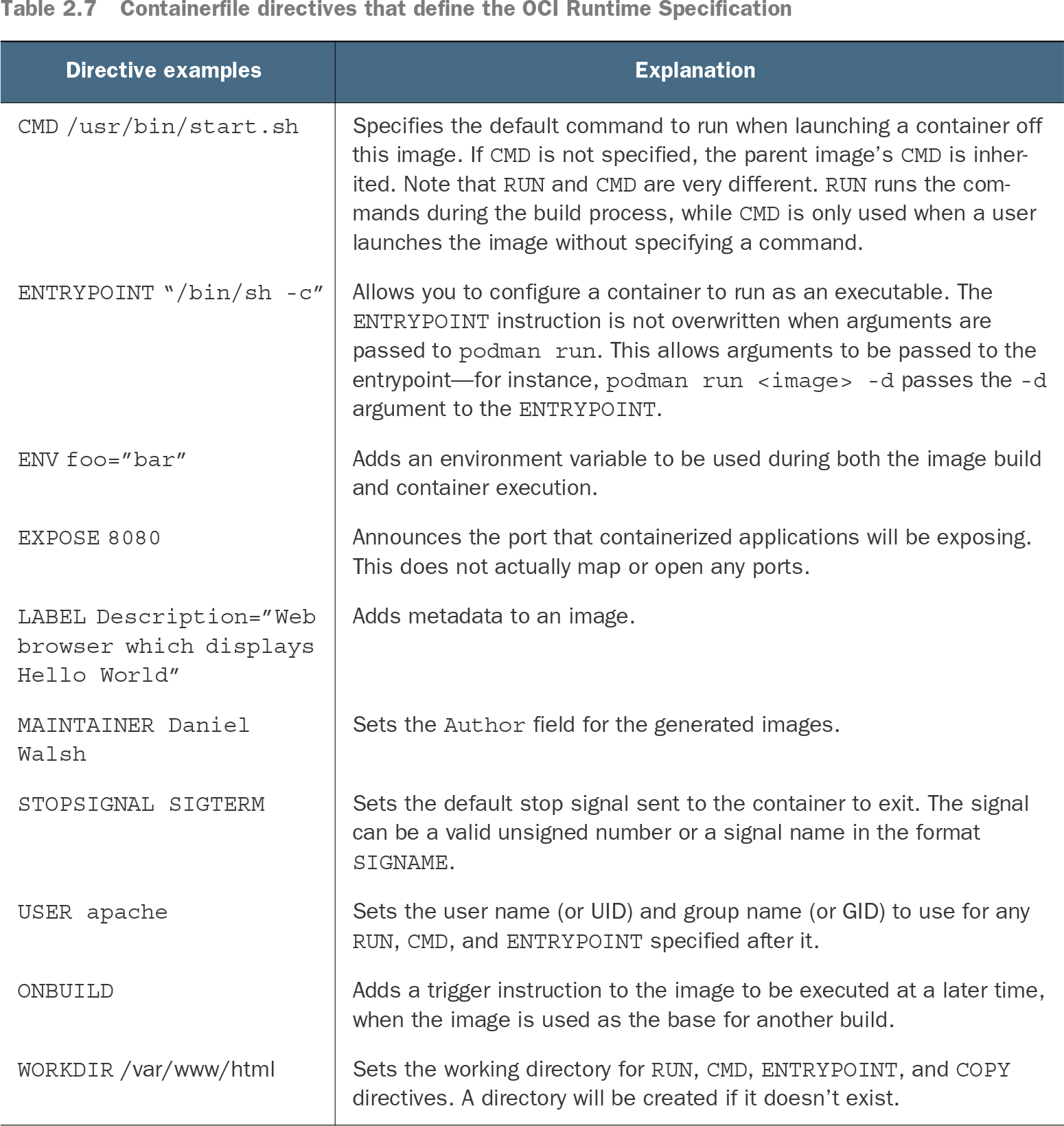
| CMD /usr/bin/start.sh
|
Specifies the default command to run when launching a container off this image. If CMD is not specified, the parent image’s CMD is inherited. Note that RUN and CMD are very different. RUN runs the commands during the build process, while CMD is only used when a user launches the image without specifying a command. |
| ENTRYPOINT “/bin/sh -c”
|
Allows you to configure a container to run as an executable. The ENTRYPOINT instruction is not overwritten when arguments are passed to podman run. This allows arguments to be passed to the entrypoint—for instance, podman run <image> -d passes the -d argument to the ENTRYPOINT. |
| ENV foo=”bar”
|
Adds an environment variable to be used during both the image build and container execution. |
| EXPOSE 8080
|
Announces the port that containerized applications will be exposing. This does not actually map or open any ports. |
| LABEL Description=”Web browser which displays Hello World”
|
Adds metadata to an image. |
| MAINTAINER Daniel Walsh
|
Sets the Author field for the generated images. |
| STOPSIGNAL SIGTERM
|
Sets the default stop signal sent to the container to exit. The signal can be a valid unsigned number or a signal name in the format SIGNAME. |
| USER apache
|
Sets the user name (or UID) and group name (or GID) to use for any RUN, CMD, and ENTRYPOINT specified after it. |
| ONBUILD
|
Adds a trigger instruction to the image to be executed at a later time, when the image is used as the base for another build. |
| WORKDIR /var/www/html
|
Sets the working directory for RUN, CMD, ENTRYPOINT, and COPY directives. A directory will be created if it doesn’t exist. |