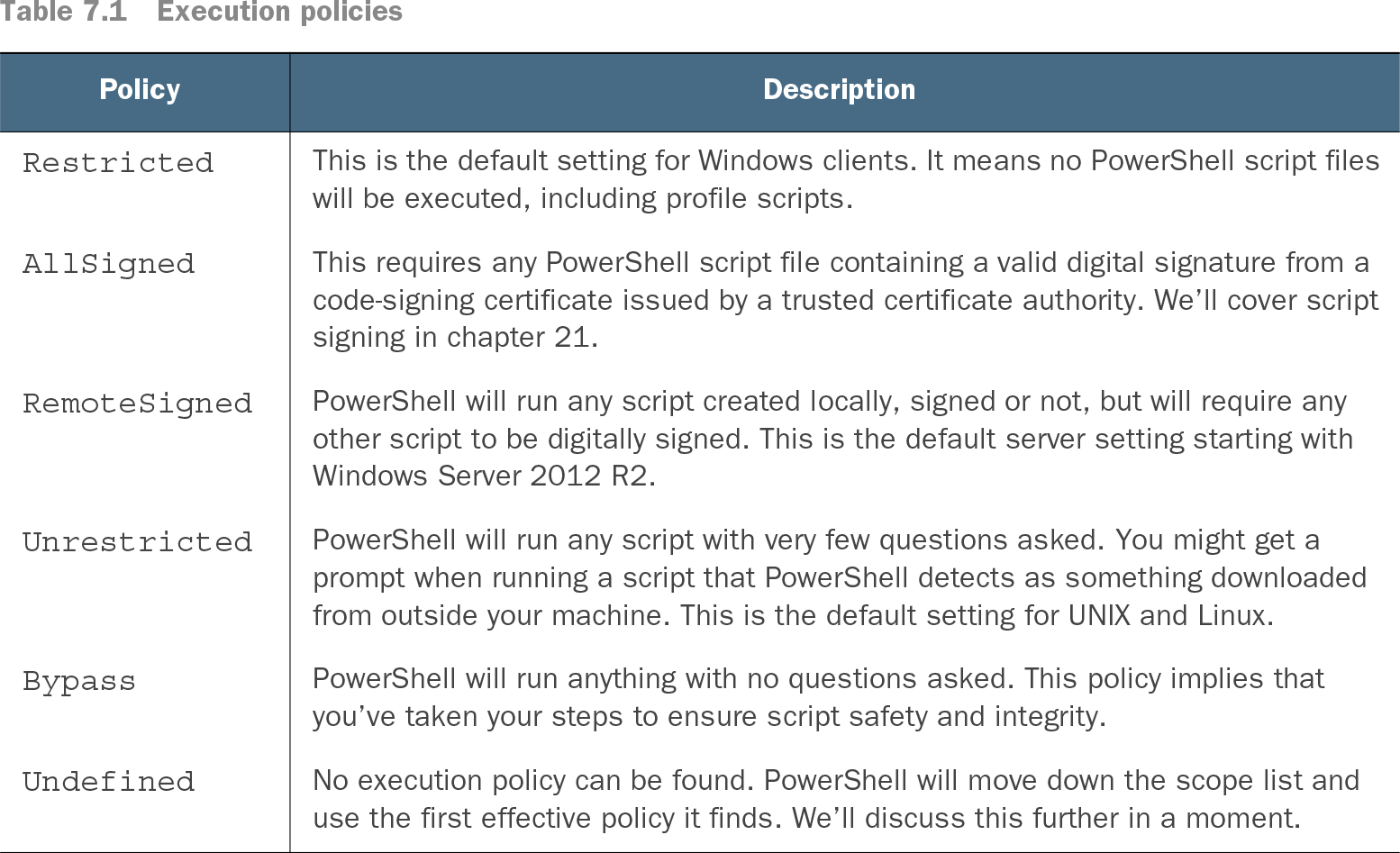
PowerShell execution policy controls whether script files such as .ps1 and .psm1 may run. It is a practical guard against accidental execution, not a security boundary: an intentional user can start PowerShell with a bypass setting. section 7.2 section 7.2.1
Check the effective policy before running scripts, then choose the narrowest operational setting that fits:
- Run Get-ExecutionPolicy to see the policy the current shell obeys; use Get-ExecutionPolicy -List to inspect every scope. section 7.2.2
- Use Restricted to block scripts, RemoteSigned to allow local scripts while requiring signatures for scripts marked as remote, or AllSigned to require trusted signatures. section 7.2 section 7.5
- Use Set-ExecutionPolicy -ExecutionPolicy RemoteSigned for a machine-level change when appropriate; changing LocalMachine normally requires an elevated shell. section 7.2.3
- Prefer Group Policy for organization-wide settings, and modify only desktops or centralized management servers that need to run scripts; leave most servers Restricted. section 7.2 section 21.3
Diagnose a blocked script
If C:\work\test.ps1 reports that script execution is disabled, run Get-ExecutionPolicy -List to locate the effective restriction. If LocalMachine is Restricted and you control that setting, open PowerShell as Administrator and set an approved policy such as RemoteSigned. Group Policy–managed settings require Group Policy instead. section 7.2.2 section 7.2.3
Table 7.1 Execution policies (view table figure)
Compare Restricted, AllSigned, RemoteSigned, Unrestricted, and Bypass when selecting a policy for a particular environment. section 7.2