Image file size is the amount of digital storage needed to store an image. On websites, oversized files can waste storage and slow page loading, so avoid uploading unnecessarily large media files. section 8.2 section 8.4
Resolution describes how densely pixels are packed, while file size describes how much digital space the image occupies. A 1,920 × 1,080 image contains more than two million pixels. High resolution helps when cropping, but a huge image is not automatically sharper when displayed on a web page. section 8.4 section 8.4
Use dimensions and approximate file sizes suited to the image’s role:
- Full-screen or background image: 1,920 × 1,080 pixels, 16:9, about 400 KB. section 8.4
- Hero image: 1,280 × 720 pixels, 16:9, about 200 KB. section 8.4
- Header banner: 1,600 × 600 pixels, 5:3, about 200 KB. section 8.4
- Save web images as .jpg when appropriate; .png files can be considerably larger. section 8.4
Figure 8.8 Change an image’s size and resolution in a module like this one.
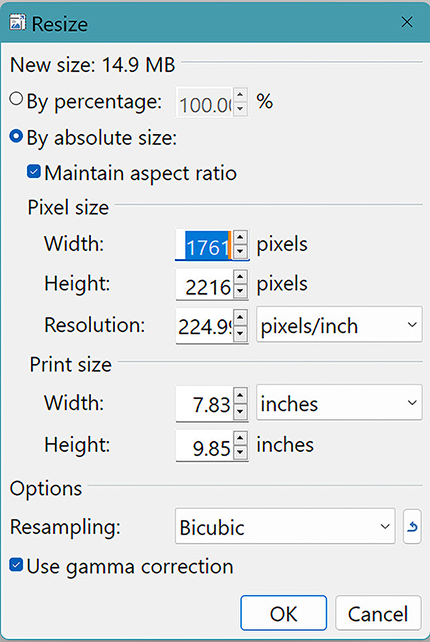
Use the image-sizing module to see how changing an image’s size and resolution helps prepare it for web display. section 8.4
