liveBook · Manning

Filter

As explained in Tiny CSS Projects

The CSS filter property applies graphical effects that modify an element's rendered appearance.

The CSS filter property changes an image’s rendered appearance by combining the property with a function that defines the visual effect. section 4.3.1

A practical filter workflow is:

  • Choose a filter function, such as grayscale(), to describe the effect. section 4.3.1
  • Pass the function an appropriate value, such as a percentage controlling how much color to remove. section 4.3.1
  • Check performance when applying resource-intensive effects such as drop-shadow() or blur() to many large images. section 4.3.1

Turn an image black and white

Apply grayscale() at 100% to remove all color: img { filter: grayscale(100%); }. The result appears like a black-and-white photograph. section 4.3.1
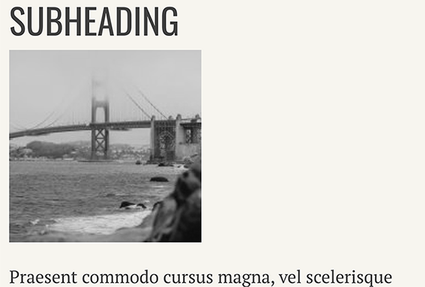
Figure 4.12 Grayscale Image

Use the grayscale image figure to compare the filtered result with the original appearance. section 4.3.1


How Tiny CSS Projects covers it

How deep it goes
Explains the property-function pattern, grayscale percentages, and performance considerations without cataloging every available function.
Examples
Uses a photograph analogy, altered-image figures, and img { filter: grayscale(100%) } as the worked example.
What it assumes
Assumes basic CSS principles and HTML containing an image, while introducing the filter-function syntax directly.
What you can do after
Build it from scratch by applying grayscale effects to images and judging when CSS filtering may affect page performance.
How it connects
Connects image styling with grayscale(), drop-shadow(), blur(), browser processing, and image preprocessing.

Also explained in

Compare how 2 books explain filter →

Related concepts

This explainer was generated by Manning's knowledge graph from the text of Tiny CSS Projects. The section links point to the parts of the book it draws on.