FOR XML serializes relational query results as XML. It reconstructs hierarchical documents from shredded tables, especially when repeating child elements require nested subqueries. section 3.4.2
Choose the mode according to the required document shape:
- RAW creates one flat element per row. section 3.4.2
- AUTO creates nested elements based on query joins, but provides limited formatting control. section 3.4.2
- PATH maps columns to XML nodes and provides advanced control over hierarchy. section 3.4.2
- EXPLICIT offers similar control to PATH but is generally unnecessarily complex. section 3.4.2
Rebuilding employee contracts
A nested FOR XML PATH query can place skills inside contracts, contracts inside employees, and employees inside an EmployeeContracts root. TYPE requests well-formed XML, while ROOT names each generated level. section 3.4.2
FOR XML PATH('') can also concatenate generated administrative commands into one continuous string. SQL Server can implicitly convert that XML result to NVARCHAR for dynamic execution, avoiding a cursor. section 9.10
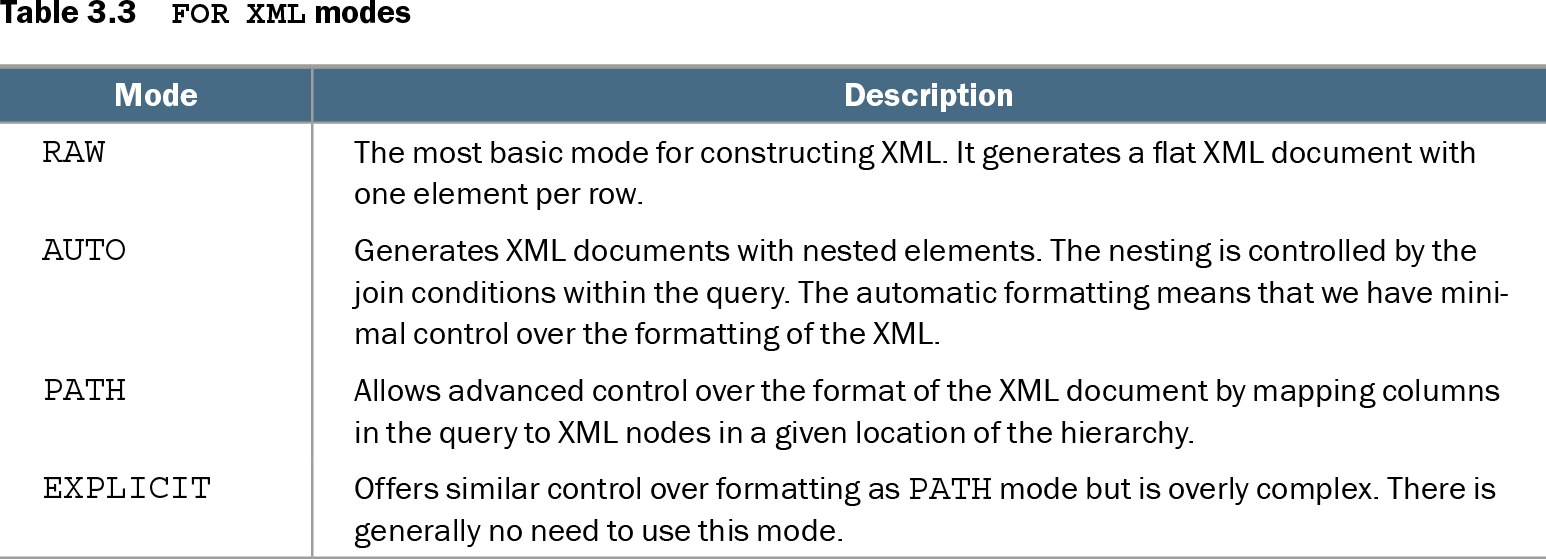
Table 3.3 FOR XML modes (view table figure)
| Mode |
Description |
|---|---|
| RAW |
The most basic mode for constructing XML. It generates a flat XML document with one element per row. |
| AUTO |
Generates XML documents with nested elements. The nesting is controlled by the join conditions within the query. The automatic formatting means that we have minimal control over the formatting of the XML. |
| PATH |
Allows advanced control over the format of the XML document by mapping columns in the query to XML nodes in a given location of the hierarchy. |
| EXPLICIT |
Offers similar control over formatting as PATH mode but is overly complex. There is generally no need to use this mode. |
Compare RAW, AUTO, PATH, and EXPLICIT modes before choosing a serialization strategy. section 3.4.2
Listing 9.15 Rewriting the cursor to use a more efficient approach
DECLARE @SQL NVARCHAR(MAX) ;

SET @SQL = (
   SELECT 'ALTER INDEX ALL ON ' + QUOTENAME(name) + ' REBUILD ; '
   FROM sys.tables
   FOR XML PATH('')
) ;

EXEC(@SQL) ;
Inspect the cursor-free administrative pattern that concatenates index-rebuild commands with FOR XML PATH(''). section 9.10