Format file
A format file is a PowerShell XML configuration file that defines how specific object types are displayed.
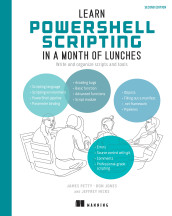
Learn PowerShell Scripting in a Month of Lunches, Second Edition: Write and organize scripts and tools
A formatting view file is a PowerShell configuration file that defines how objects are displayed in formatted output.
- How it is used
- Improves PowerShell tool output by defining polished default views for custom object types.
- How deep it goes
- Explains XML structure, type selection, table columns, labels, widths, alignment, and column-count failures; it remains tutorial rather than comprehensive.
- Examples
- Uses Microsoft’s core format definitions, DiskInfo and MachineInfo table views, revised tool code, and a module manifest.
- What you can do after
- Build it from scratch by copying a table view, assigning a custom type name, mapping properties, and packaging the view with a module.

Learn PowerShell in a Month of Lunches: Fourth Edition, Covers Windows, Linux, and macOS
A format file is a PowerShell XML configuration file that defines how specific object types are displayed.
- How it is used
- Controls how PowerShell objects appear in default console output.
- How deep it goes
- Explains display metadata, XML property sets, type lookup, and loading custom definitions, without detailing the full formatting system.
- Examples
- Uses process output, PSReadLine key handlers, and a custom System.Uri property set.
- What you can do after
- Apply custom display properties by writing XML and loading it with Update-TypeData.
Related concepts
- viewhas part · A view is a named, stored set of formatting rules for displaying objects of a particular type.
- xmluses · XML is a text-based markup language for encoding structured documents and data using elements, attributes, and nested relationships.
- formattinguses · Formatting is the arrangement or transformation of content, data, or code according to specified structural, stylistic, or presentation conventions.
- Visual Studio Codeuses · Visual Studio Code is Microsoft’s cross-platform source-code editor, extensible with tools for programming, debugging, and other development workflows.
- table viewhas part · A table view is a formatting configuration that displays object properties in tabular columns.
These guides are generated from the text of Manning books by Manning's knowledge graph and link to the sections they draw on. The full books are available on liveBook and at manning.com.