A geodata layer groups geographic objects or related attributes into one thematic view. A map combines layers such as boundaries, buildings, parks, lakes, and points of interest. section 10.1
Common layer contents include:
- Polygon layers represent areas and boundaries, including buildings, parks, lakes, cities, states, and oceans. section 10.1
- Point layers represent points of interest, amenities, and landmarks, with attributes such as names, addresses, reviews, and ratings. section 10.1
- Layers can contain static, changing, or temporal geodata, depending on whether object locations or attributes change. section 10.1
Overlaying layers in QGIS
Connect QGIS to Postgres, open the florida schema, and add the planet_osm_polygon table to the project. Then add planet_osm_point as another layer. QGIS renders the point data above the polygon layer, producing a combined map. section 10.4
Figure 10.2 Visualizing polygons from the planet_osm_polygon table
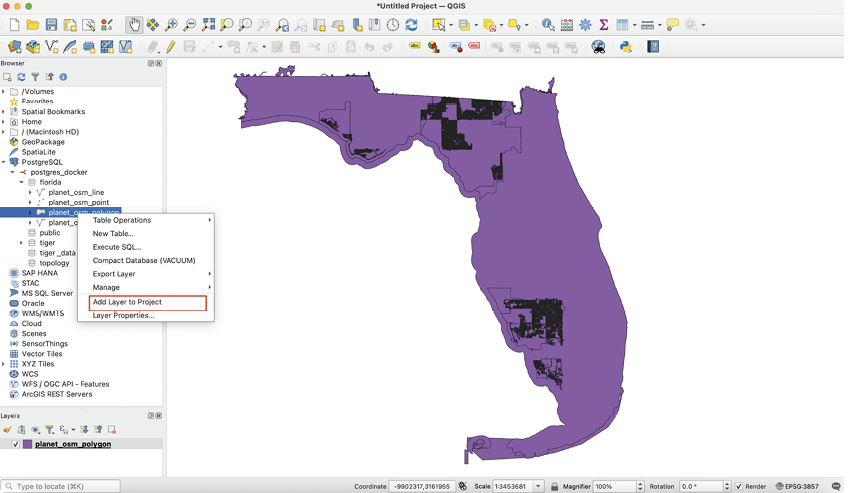
Shows polygons from planet_osm_polygon rendered as a map layer. section 10.4
Figure 10.3 Visualizing points from the planet_osm_point table
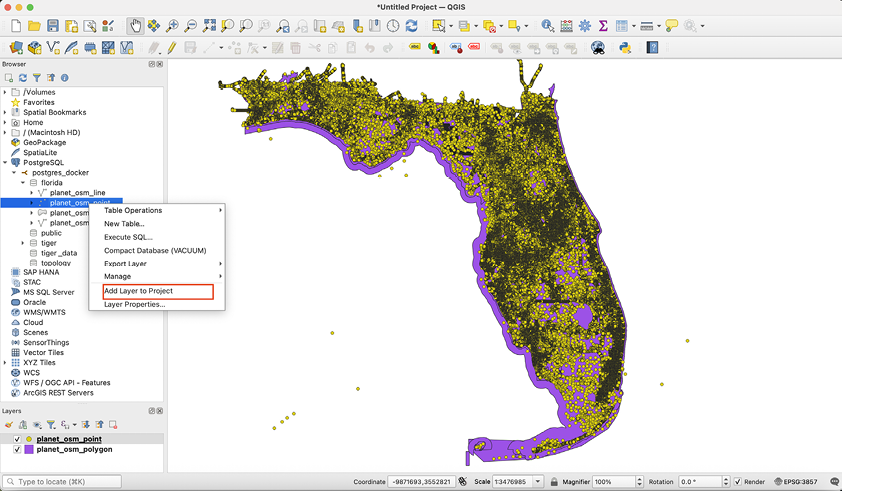
Shows point features from planet_osm_point overlaid as a second map layer. section 10.4
