GPT4All is an open-source project and Python library for running pretrained, quantized language models locally on consumer-grade CPUs. Models typically occupy 3–8 GB, can run without an internet connection, and keep conversations on the local computer—useful when privacy matters more than matching ChatGPT’s performance. section 11.0 section 11.1
Use either the desktop application for immediate model chats or the Python library for application development. Install the library with `pip install gpt4all`; the stated version is 2.0.2. Most models require 4–16 GB of RAM, so a machine with at least 16 GB is recommended. section 11.2 section 11.2.2 section 11.2.1
Run a local model and expose it through Gradio
from gpt4all import GPT4All import gradio as gr gpt = GPT4All("mistral-7b-openorca.Q4_0.gguf") def chat(message): with gpt.chat_session(): return gpt.generate(prompt=message, temp=0) gr.Interface(fn=chat, inputs="text", outputs="text").launch() `GPT4All(...)` loads the selected model, `chat_session()` establishes a conversation context, and `generate()` returns a response. This minimal interface starts a new session for each submission; preserving follow-up questions requires storing and restoring `current_chat_session`. A chatbot-style Gradio interface can instead maintain visible chat history and provide a clear-conversation button. section 11.2.6
Discover available models with `GPT4All.list_models()`, which reports names, filenames, file sizes, RAM requirements, parameter counts, and quantization. Model files can be downloaded through the `GPT4All` class and are saved under `~/.cache/gpt4all`. Local document question-answering adds an SBert embedding model, document folders, similarity search, a prompt template, and optionally LangChain. section 11.2.3 section 12.1.7 section 12.1.8
Figure 11.10 Asking questions specific to your local data
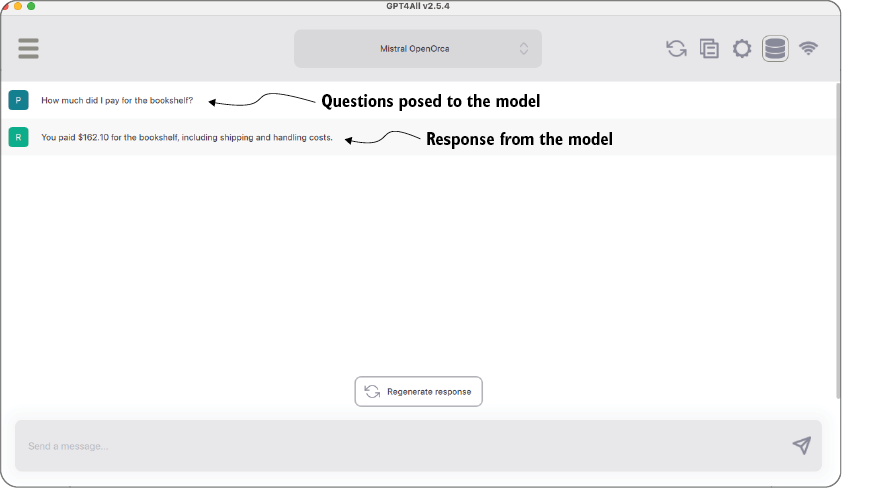
Shows the desktop workflow for asking questions about locally selected documents. section 11.2.1

