grid-auto-columns sets the size of columns the browser creates when grid items extend beyond the explicitly declared grid tracks. Without it, implicit columns use auto sizing and grow to contain their contents. section 5.4
Sizing an implicit column
A grid with one explicit column can size any additional automatically created columns with: .gallery { display: grid; grid-template-columns: 12rem; grid-auto-columns: 1fr; } If an item is placed in a second column, that implicit column receives the 1fr size. section 5.4
Figure 5.11 If a grid item is placed outside the declared grid tracks, implicit tracks will be added to the grid until it can contain the item.
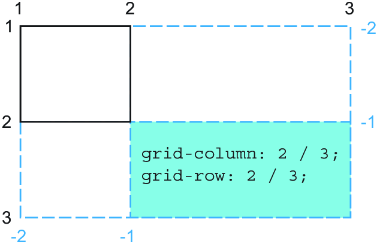
See how placing an item outside the declared tracks causes implicit tracks to be added until the grid can contain it. section 5.4
