Auto placement positions grid items in the first available space where they fit. Without an explicit row, the browser uses the item’s span and the existing grid tracks to choose a location. section 5.2.1
By default, items follow markup order and fill the grid row by row. An item that cannot fit in the current row moves to the next row with enough space. Setting grid-auto-flow: column changes the search to column-first placement. section 5.4.1
Filling gaps with dense auto-flow
Featured portfolio items span two rows and two columns. Their larger size can leave gaps, so grid-auto-flow: dense lets smaller items backfill those spaces, even when that changes their visual order from the markup order. .portfolio { display: grid; grid-template-columns: repeat(auto-fill, minmax(200px, 1fr)); grid-auto-rows: 1fr; gap: 1em; grid-auto-flow: dense; } .portfolio .featured { grid-row: span 2; grid-column: span 2; } section 5.4.1
Figure 5.15 Using dense grid-auto-flow allows small grid items to backfill gaps in the grid.
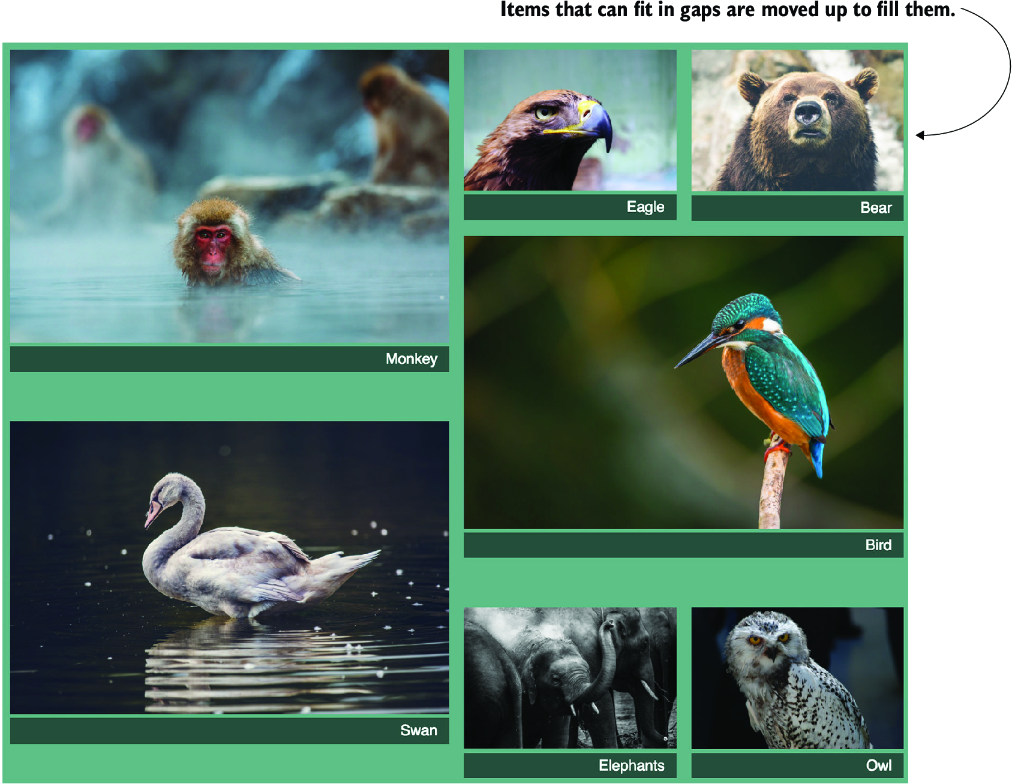
See how dense auto-flow fills gaps left by larger grid items. section 5.4.1
