A highlighting interaction pattern visually emphasizes the interface element currently under a pointer or in focus, offering a quiet clue that the element can be interacted with. section 7.1.1
Use highlighting to reveal interactivity without letting the interface steal the show:
- In Tableau and Power BI, a border appears around the data element under the mouse pointer, marking it as active or in focus. section 7.1.1
- For hyperlinks, pair an underline with a brightness change when useful, but preserve sufficient contrast with the background. section 7.1.1
- Prefer subtle emphasis when stronger color would distract attention from the data; add explicit instructions when visual clues are not enough. section 7.1.1
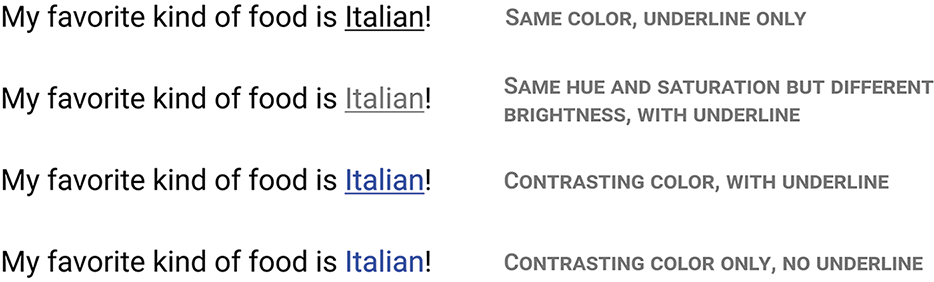
Compare underline, color, and other visual treatments for communicating that text is a hyperlink. section 7.1.1
