An HTTP request parameter sends a small value from client to server as a key-value pair in the request’s query string. The query starts with “?”; separate additional pairs with “&”. section 8.1.1 section 8.1.2
Choose request parameters when:
- The data is small and may be optional, as with search or filtering criteria. section 8.1.2
- The value is not mandatory; use a path variable for mandatory values. Use the request body for larger amounts of data. section 8.1.1
In Spring MVC, annotate a controller method parameter with @RequestParam to receive a query value. For example, a request to /home?color=blue can supply “blue” to the controller, which can pass it to the view. section 8.1.2
Listing 8.3 Getting a value through a request parameter
@Controller
public class MainController {

  @RequestMapping("/home")
  public String home(
      @RequestParam String color, #A
      Model page) {   #B
    page.addAttribute("username", "Katy");
    page.addAttribute("color", color);    #C
    return "home.html";
  }
}
See how @RequestParam binds a query value to a controller method parameter. section 8.1.2
Figure 8.5 A request parameter can be optional. A common scenario for using request parameters is implementing a search functionality where the search criteria are optional. The client sends only some of the request parameters, and the server knows to use only the values it receives. You implement the server to consider that it might not get values for some of the parameters.
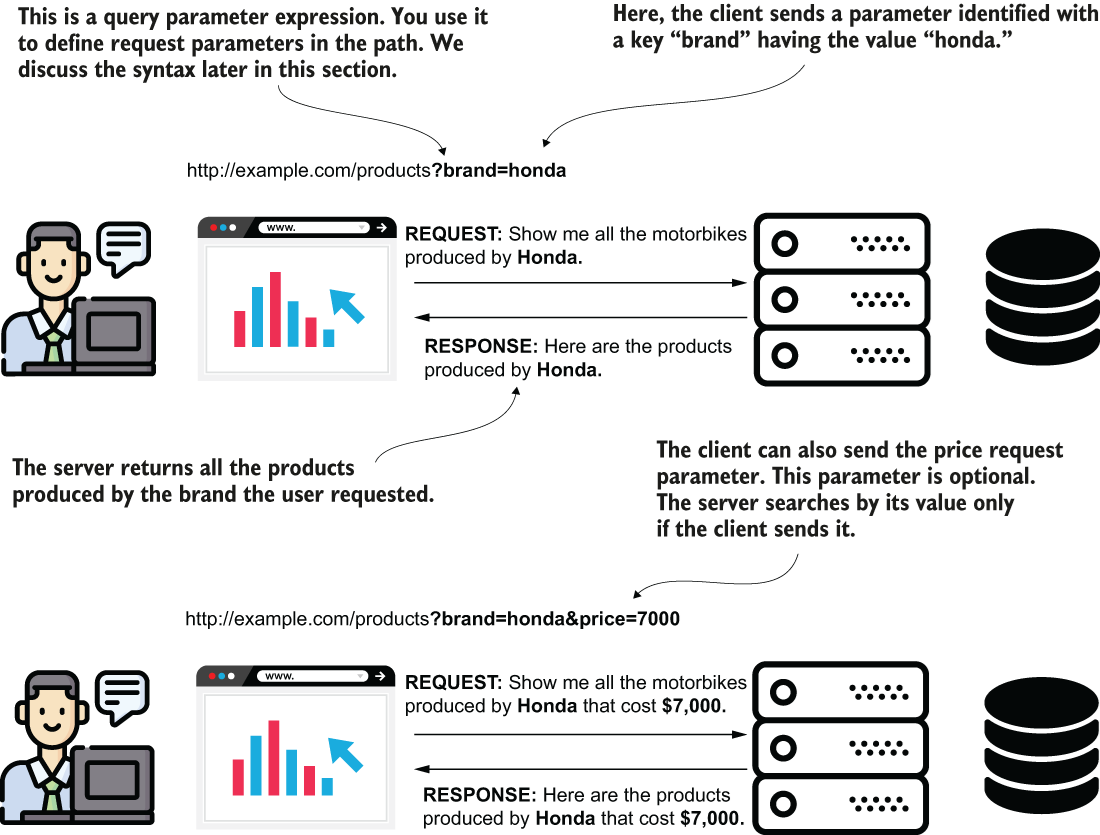
The search example shows how a client can send only the criteria it uses. section 8.1.2
