liveBook · Manning

Context keys

As explained in Crack Any Codebase with AI

Context keys are boolean or other state flags that determine which editor commands and menu items are active.

Context keys are boolean or other state flags that determine which editor commands and menu items are active. They explain why right-clicking a file produces a different menu from right-clicking a terminal. section 3.1

Selection-dependent commands

A key such as editorHasSelection records whether the editor currently contains a selection. Commands and menus can use that state to appear or become active only when the selection exists. section 3.1

Figure 3.2 The ten core abstractions in VS Code, distilled from 10,000 files. The arrows show a recommended learning path, starting with foundational code like Resource Cleanup and ending with visible UI like the Workbench Layout.
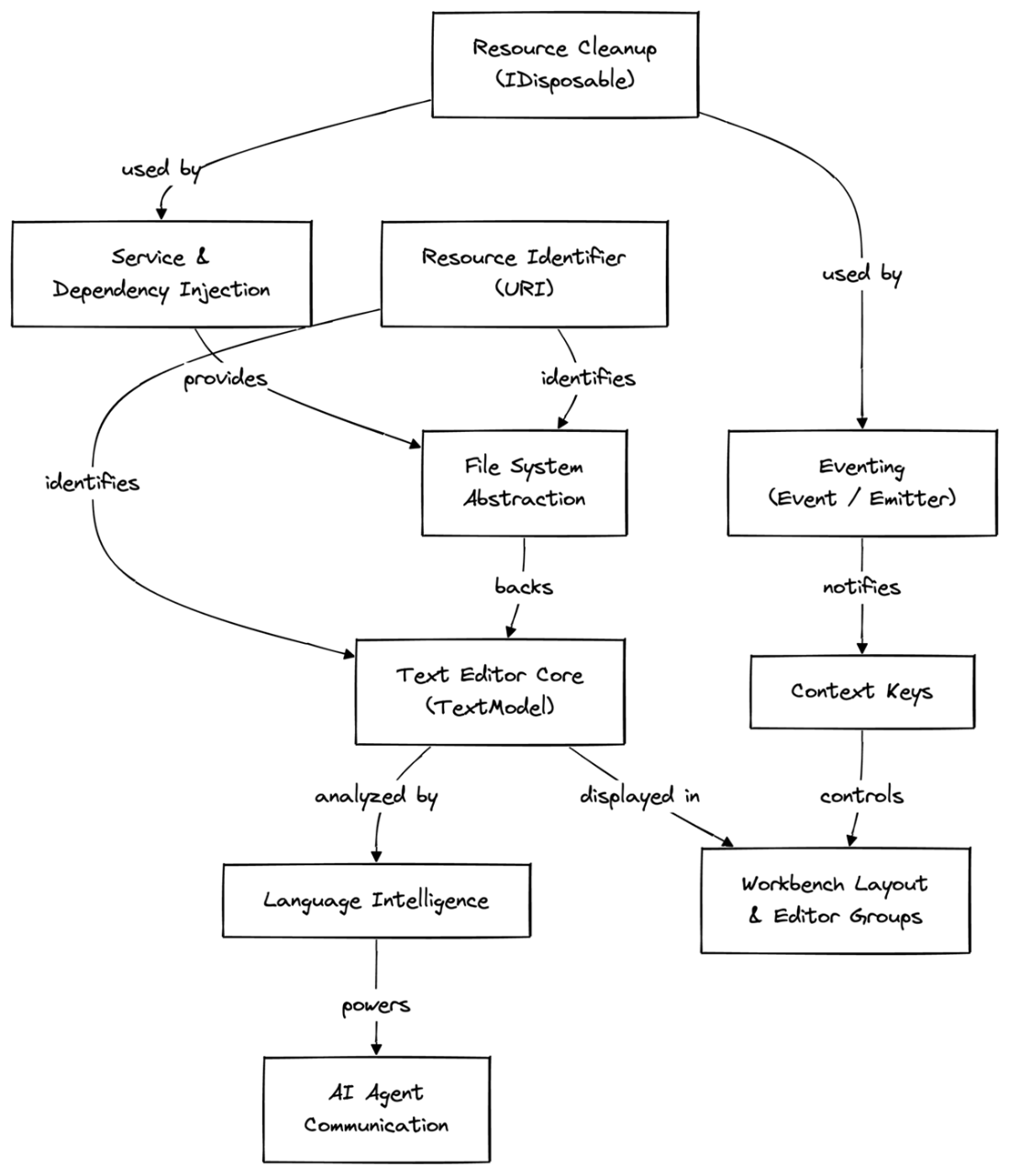
Places Context Keys among the core editor abstractions and shows its relationship to surrounding systems through the dependency map. section 3.1

How Crack Any Codebase with AI covers it

How deep it goes
Defines state flags and illustrates their effect, but does not explain their implementation or evaluation machinery.
Examples
Uses editorHasSelection and contrasts right-click menus for files and terminals.
What you can do after
Understand why commands and menus change when editor or interface state changes.
How it connects
Connects editor commands and menu items with Text Editor Core and Workbench Layout.

This explainer was generated by Manning's knowledge graph from the text of Crack Any Codebase with AI. The section links point to the parts of the book it draws on.