liveBook · Manning

Resource cleanup

As explained in Crack Any Codebase with AI

Resource cleanup is the systematic release of memory, watchers, connections, and other resources when they are no longer needed.

Resource cleanup is the systematic release of resources when they are no longer needed. In a large editor, it prevents leaks by stopping file watchers, freeing memory, and tearing down connections when a tab closes. section 3.1

Closing an editor tab

Closing a tab is a concrete cleanup boundary: the editor stops watching its file, releases associated memory, and tears down connections. Cleanup belongs alongside the editor, file-system, and eventing abstractions that make those resources useful. section 3.1

Figure 3.2 The ten core abstractions in VS Code, distilled from 10,000 files. The arrows show a recommended learning path, starting with foundational code like Resource Cleanup and ending with visible UI like the Workbench Layout.
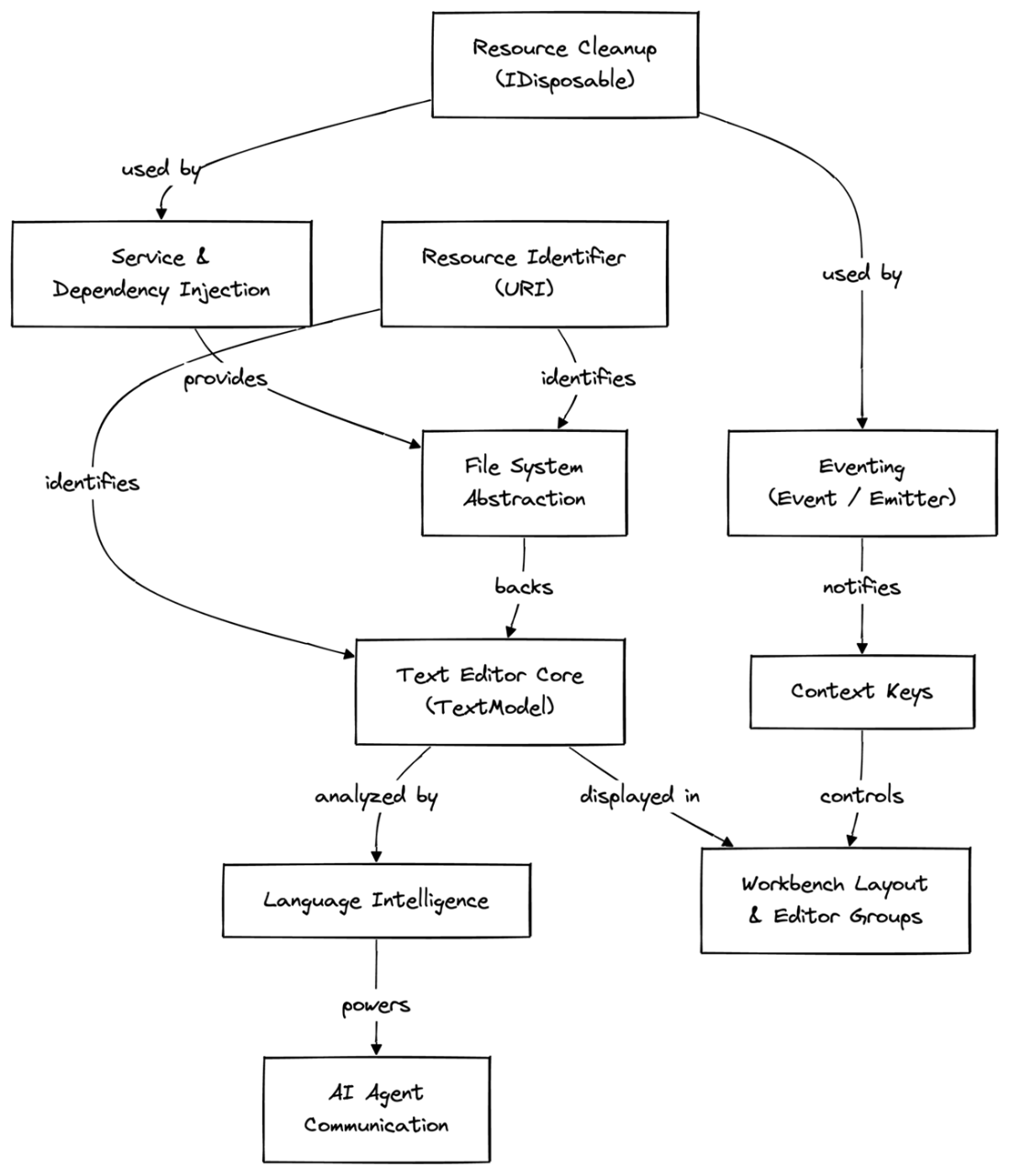
Places Resource Cleanup among ten core VS Code abstractions and marks it as foundational in the recommended path through the architecture. section 3.1

How Crack Any Codebase with AI covers it

How deep it goes
Defines cleanup through a tab-closing scenario but stops short of implementation details or lifecycle procedures.
Examples
Uses closing a tab to illustrate stopping watchers, freeing memory, and tearing down connections.
What you can do after
Evaluate how editor actions release watchers, memory, and connections instead of allowing resources to leak.
How it connects
Connects resource cleanup with eventing, file-system abstraction, and the text editor core.

This explainer was generated by Manning's knowledge graph from the text of Crack Any Codebase with AI. The section links point to the parts of the book it draws on.