A workbench layout arranges and governs an editor’s panels, sidebars, tabs, and split editors. It is the visible endpoint of a dependency path that rests on abstractions such as events, file access, and text editing. section 3.1
Use this mental model when investigating an editor:
- Treat layout as a system of movable UI regions rather than isolated screens. section 3.1
- Trace downward through Language Intelligence, Text Editor Core, File System Abstraction, and URI to understand its foundations. section 3.1
Figure 3.2 The ten core abstractions in VS Code, distilled from 10,000 files. The arrows show a recommended learning path, starting with foundational code like Resource Cleanup and ending with visible UI like the Workbench Layout.
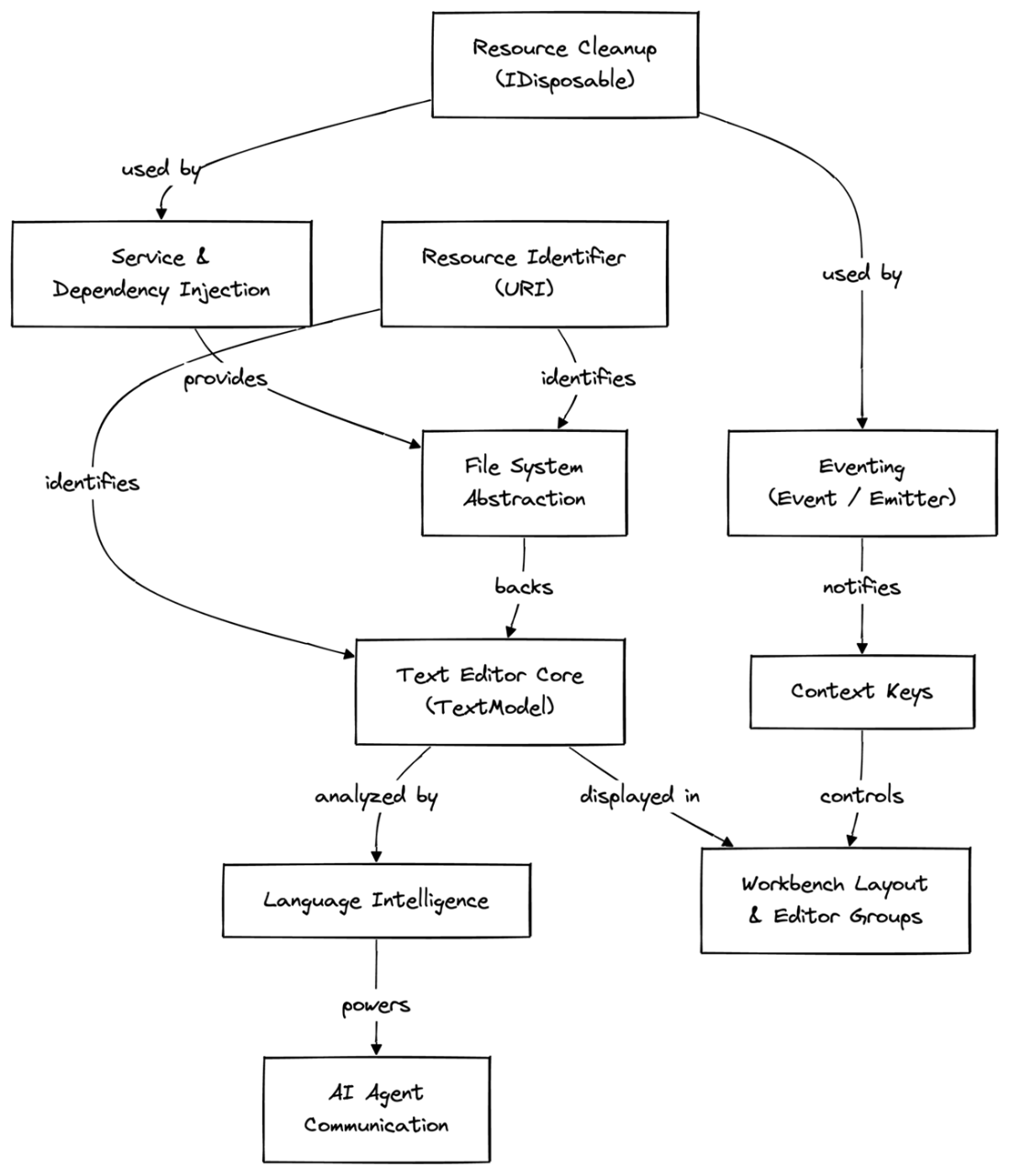
Use the ten-abstraction map to place Workbench Layout at the visible end of the recommended learning path. section 3.1
