An identity directory stores identity-related information for users, groups, applications, and other entities. In Azure, the tenant’s dedicated directory supports identity and access management (IAM) for tenant resources, helping authorized identities reach the right resources at the right time. section 2.1.1
The Azure directory and subscription relationship provides these operational benefits:
- One Azure tenant can contain multiple Azure subscriptions. section 2.1.1
- Each Azure subscription associates with one Azure AD directory. section 2.1.1
- Identities stored in the tenant directory can be used across its Azure subscriptions. section 2.1.1
- The same directory stores application identities, called service principals, for applications accessing Azure resources. section 2.1.3
Creating a directory user
In a lab environment, create Bob Miller with Azure CLI by supplying a display name, password, unique user principal name, and a requirement to change the password at next sign-in. The username must use a verified tenant domain. Creating users in a corporate environment is not recommended for this exercise. section 2.1.3
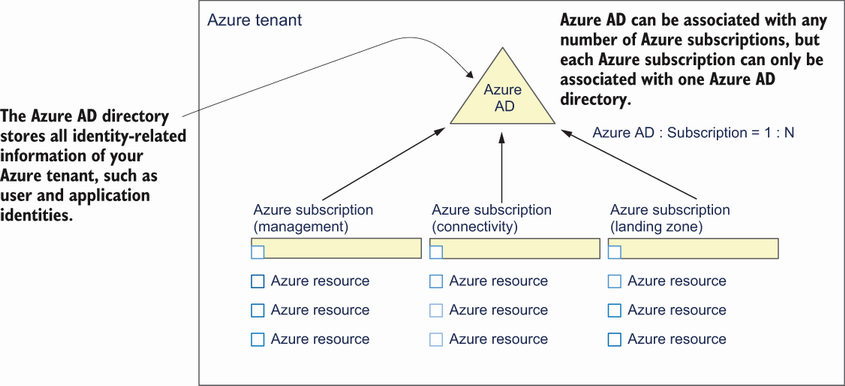
Use the relationship figure to visualize how one tenant directory connects with multiple Azure subscriptions. section 2.1.1
