Text rendered as pixels in an image cannot reflow, respond to font and spacing settings, or stay sharp when magnified. Screen readers cannot interpret its meaning or structure, even when the image has alt text. section 4.4.4
Prefer real text so people can control how they read it:
- Use semantic text styled with CSS to meet design needs. section 4.4.4
- When text must be part of an image, such as a logo, describe its purpose in the alt attribute. For information-rich images like posters or infographics, also provide a full text alternative nearby or through a link. section 4.4.4
Figure 4.8 Comparison of two “Read more” button implementations: a styled semantic button with text value (bottom-left) and an image-based button (bottom-right). Text embedded in images does not scale with the user's font size preferences.
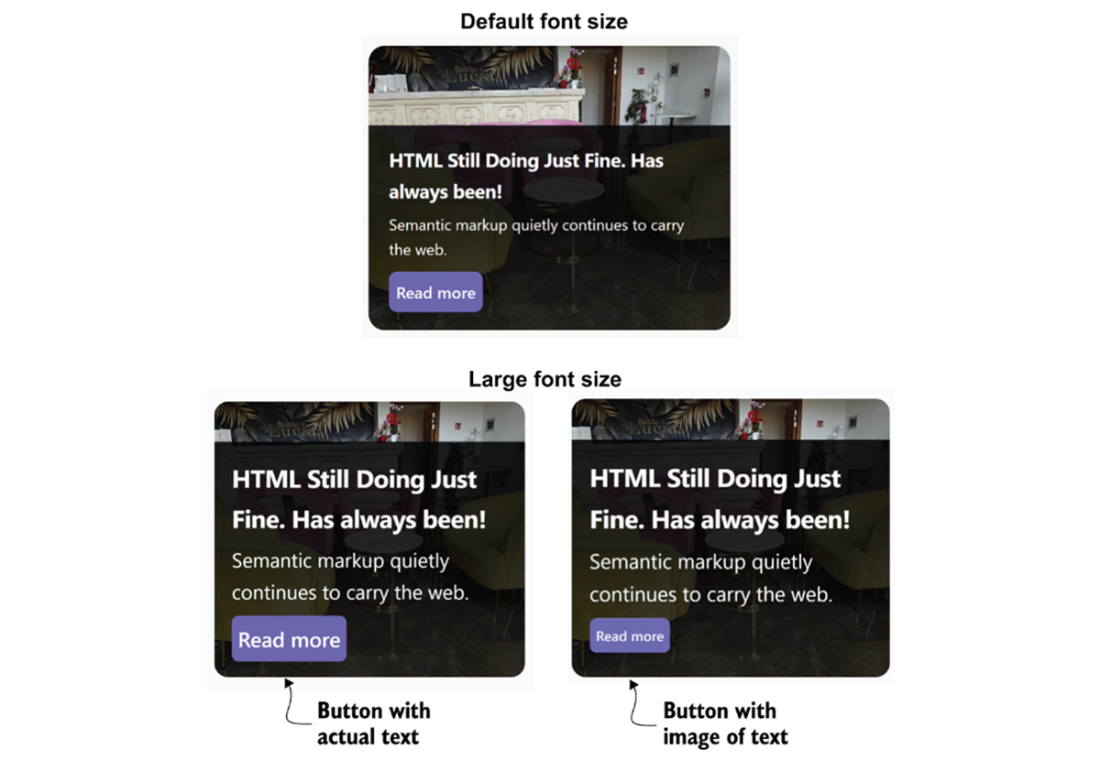
Compare a styled semantic “Read more” button with an image-based button: enlarging text preferences scales the real text, but not the image text. section 4.4.4
