An Aspire integration library connects an Aspire application to infrastructure such as a database, message broker, or distributed cache. It wraps a Docker-hosted component or a reference to a managed resource, providing extension methods that are easier to configure than a raw container. Most integrations use containers locally, but an integration need not run its resource in a container. section 2.5 section 2.8
An integration typically has two sides:
- A hosting package lets the Aspire app host register, configure, and launch or reference the resource. section 3.2
- A consumer package lets an application service interact with that resource. For SQL databases, client libraries support operations such as queries and updates, with or without Entity Framework. section 3.2
Start with Redis, then make an integration
For output caching, start with the Aspire Starter Project’s Redis option. The cache stores generated page output for subsequent requests, reducing repeated processing. After running the application, inspect the cache in the Aspire dashboard: a locally hosted Redis integration appears as a Container, and its Source path begins with docker.io. To start a custom integration around the MailDev Docker image, create a hosting class library with `dotnet new classlib -n OnlineShop.MailDev.Hosting`, then add it to the solution with `dotnet sln OnlineShop.sln add OnlineShop.MailDev.Hosting/OnlineShop.MailDev.Hosting.csproj`. Those commands create the project; it still needs integration code. section 2.5 section 2.6.2 section 2.7
Choose the resource’s hosting mode with its data in mind. A container is useful for local database development, but a persistent production database can instead be a managed instance. SQL integrations also work with Aspire service discovery, avoiding separately maintained connection strings in application configuration and deployment pipelines. section 2.5 section 3.2
Figure 2.8 Redis component shown in the Aspire dashboard
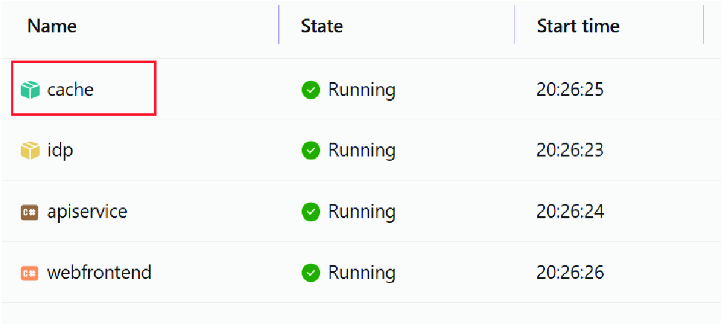
The dashboard figure helps distinguish an integration library from the resource it hosts: the Redis integration is displayed as its underlying container. section 2.6.2
