Jan is an open-source desktop application for chatting with local language models on macOS, Linux, and Windows. It can also connect to commercial API providers, while local chats work offline after model download. section 12.5 section 12.0
Jan’s practical boundaries and capabilities include:
- Uses a simple chat interface with message history, formatted responses, syntax-highlighted code, copy-and-paste, and optional retrieval uploads. section 12.5
- Supports GGUF models from Jan Hub, Hugging Face Hub, or local files; its hardware warnings identify models likely to run slowly or exceed available memory. section 12.5
- Runs through Cortex, a C++ local AI engine using llama.cpp by default or ONNX Runtime, with GPU support and multiple quantization modes. section 12.6
- Includes a local API server, while Cortex separately provides commands for starting the server, pulling models, running chats, and stopping services. section 12.6
Running a local model with Cortex
Start Cortex with `cortex start`, pull a model with `cortex pull tinyllama:1b`, and begin a session using `cortex run tinyllama`. The default server port is 39281. section 12.6
Figure 12.9 The chat view of the Jan desktop application
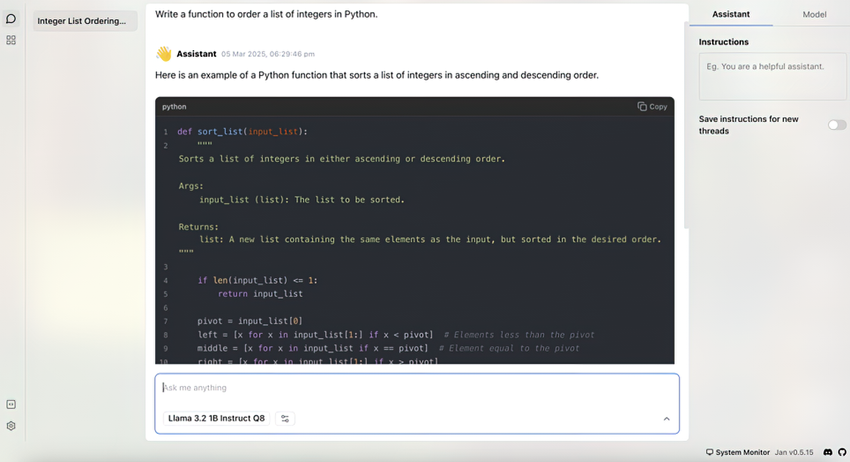
Use the chat-view figure to inspect Jan’s conversation layout, prompt area, message history, formatting, and document-upload placement. section 12.5
