Jetpack is a collection of lightweight WordPress modules for adding useful site features without installing a separate plugin for every small job. Its tools span security, performance, marketing, and design, making it a practical starting point when a site needs common additions such as forms, image displays, or sidebar controls. section 5.1 section 5.6
Useful Jetpack modules include:
- Carousel, which animates a set of images. section 5.1
- Contact Form, which lets visitors send information such as an email address. section 5.1
- Tiled Galleries, which presents several images in different layouts. section 5.1
- Widget Visibility, which controls what sidebar content appears. section 5.1
Choose the simple form when the simple job is enough
A Jetpack Form can provide a bare-bones way for visitors to subscribe, request blog access, or send other information. A visitor enters details, selects Submit, and the form is emailed to you. This is suitable when the goal is simply to collect email addresses; use a fuller alternative such as Contact Form 7 or WPForms when extra form features are needed. section 5.6 section 5.1
Jetpack requires a free WordPress.com account before it can be activated on a WordPress.org site. Link the .org site to that account, then install Jetpack. The linked .com site does not need content or ongoing management after the connection is made. section 5.6
Figure 5.11 Click the Jetpack Dashboard as shown here.
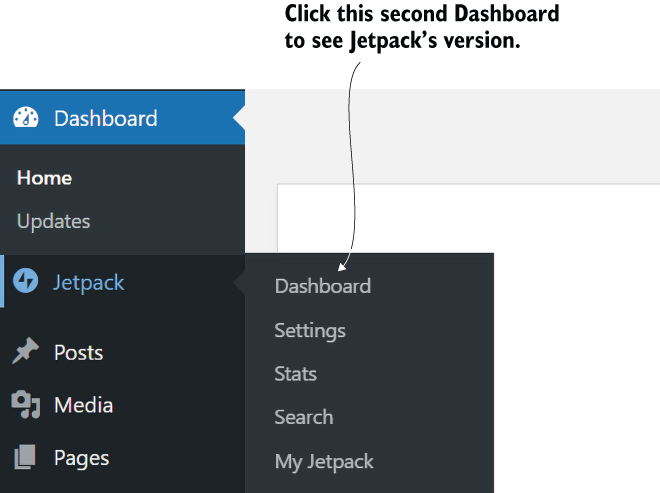
Open the Jetpack Dashboard to begin locating its controls; the modules link is lower on that dashboard screen. section 5.6
