liveBook · Manning

Jetpack module

As explained in WordPress Power Toolkit: Harness AI to build next-level websites

A Jetpack module is an independently activatable feature component within the Jetpack WordPress plugin suite.

A Jetpack module is a lightweight plugin component that adds one focused feature to a WordPress site. Modules suit simple jobs without the extensive options of a full-featured plugin. section 5.6

A simple subscriber form

The Jetpack Form module displays a basic form for collecting visitor email addresses. Visitors enter their information, select Submit, and the form is emailed to the site owner. Choose it when straightforward email collection matters more than advanced form features. section 5.6

Before using Jetpack modules:

  • Create a free WordPress.com account and link it to the WordPress.org site. section 5.6
  • Install Jetpack, then open its dashboard to find the available modules. section 5.6
Figure 5.12 Buried in the bottom of Jetpack’s dashboard screen is the link to the modules.
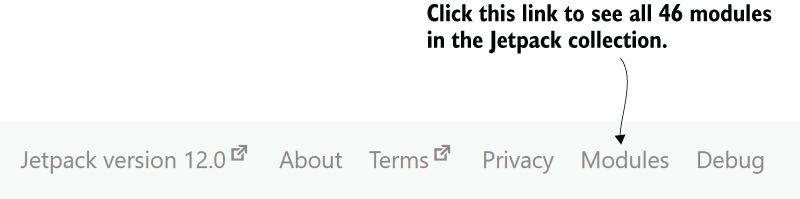
Use the dashboard figure to locate the link to Jetpack’s modules. section 5.6

How WordPress Power Toolkit: Harness AI to build next-level websites covers it

How deep it goes
Defines modules through a basic form example and activation steps, but stops short of detailed configuration.
Examples
Uses a subscriber or contact form and contrasts Jetpack Form with Contact Form 7.
What it assumes
Assumes a hosted WordPress.org site and requires a free WordPress.com account before Jetpack activation.
What you can do after
Apply it via Jetpack to add a basic form and collect visitor email addresses.
How it connects
Connects Jetpack modules with WordPress plugins, WordPress.com, WordPress.org, contact forms, and spam reduction.

This explainer was generated by Manning's knowledge graph from the text of WordPress Power Toolkit: Harness AI to build next-level websites. The section links point to the parts of the book it draws on.