KNIME Workbench is the desktop development interface for creating and configuring workflows. Its central canvas lets you assemble a flow from nodes, while surrounding panels provide tools for finding, managing, and understanding workflow components. section 7.1
Use the main Workbench areas to build and manage workflows:
- Search the Node Repository for components that read or write files, connect to data platforms, transform tables, or apply AI algorithms; drag nodes onto the canvas. section 7.1
- Use Explorer to store local workflows, open public examples, and access KNIME Hub resources. section 7.1
- Ask K-AI for real-time advice about moving from available data to a desired output. section 7.1
Figure 7.4 The KNIME Workbench is your private studio for crafting data workflows.
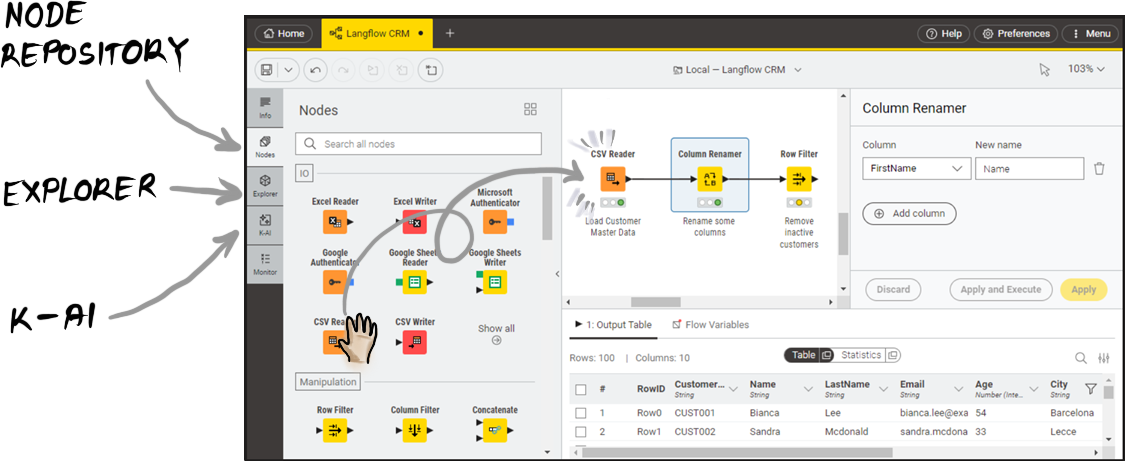
The Workbench functions as a visual studio: the canvas is the workspace, and the surrounding panels support component discovery and workflow management. section 7.1
