Language intelligence is the editor layer behind autocomplete, go-to-definition, and red squiggles that catch errors. It turns language services into visible programming features. section 3.1
A useful mental model starts with a familiar question—how does the editor know that foo is undefined?—then traces the answer from the visible behavior to provider interfaces connecting the editor with language services. section 4.1
The implementation boundary includes more than one feature:
- CompletionItemProvider supplies autocomplete behavior. section 4.1
- HoverProvider and DefinitionProvider support symbol information and definition navigation. section 4.1
- CodeActionProvider connects diagnostics with available fixes. section 4.1
- More than 50 provider interfaces define the contract between the editor and language services. section 4.1
Ask about the behavior, not only the registry
A weak analysis reports LanguageFeatureRegistry<T>, typed registration, and language-selector scoring. A sharper investigation asks how autocomplete, definition navigation, or an undefined-name diagnostic works, then identifies the provider interfaces that implement that behavior. The same distinction explains why installing a Python extension produces squiggles in .py files. section 4.1
Figure 3.2 The ten core abstractions in VS Code, distilled from 10,000 files. The arrows show a recommended learning path, starting with foundational code like Resource Cleanup and ending with visible UI like the Workbench Layout.
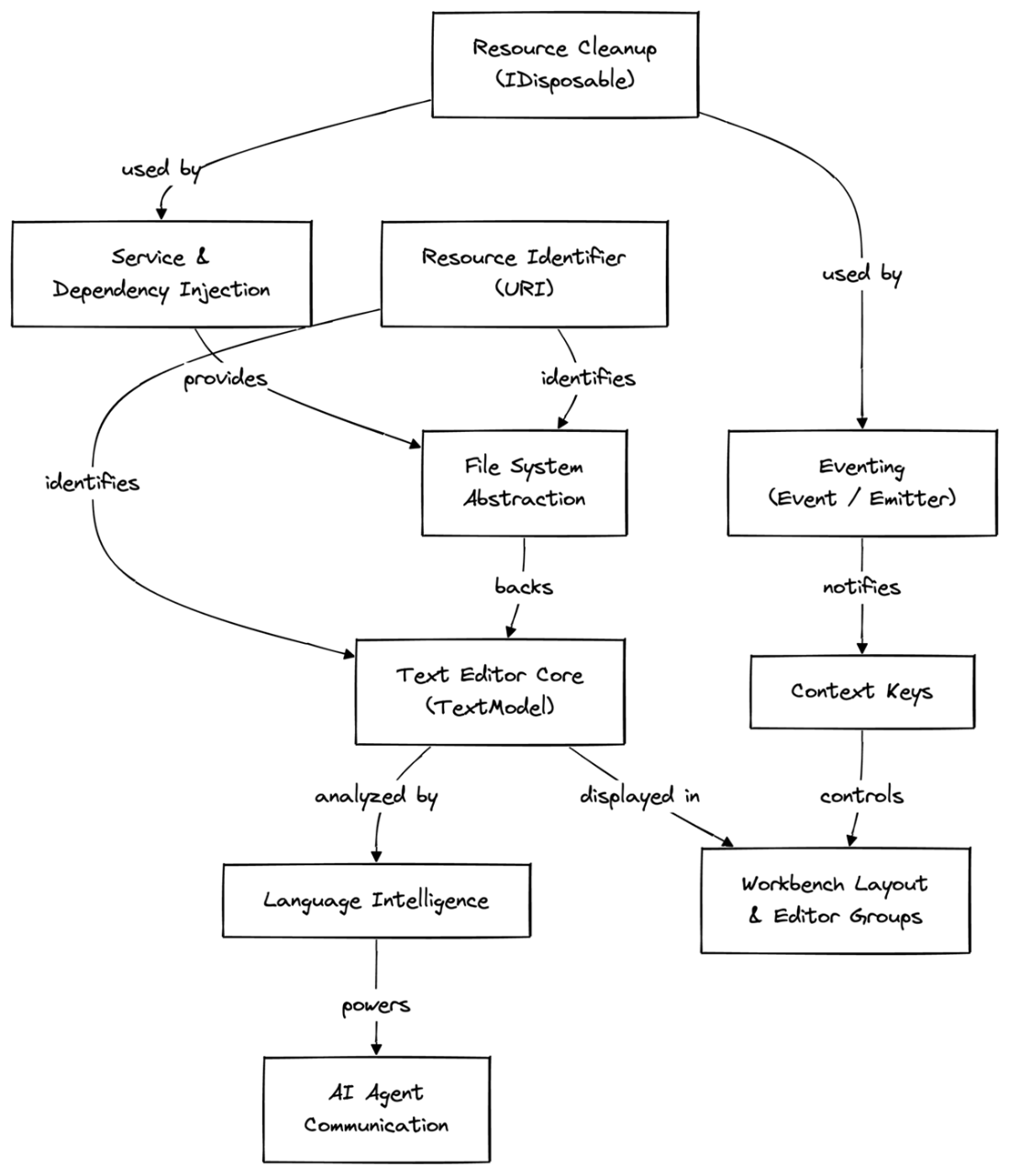
Use the abstraction map to place language intelligence between the text editor core and extension-provided implementations, then follow its dependency path. section 3.1
