The Pages folder contains the Razor Pages files that define the independently addressable pages of a web application, such as Home and Privacy. section 13.1.1
Use the folder structure to understand how Razor Pages become web endpoints:
- Place a page such as Pages/Products/View.cshtml in the Pages directory. section 14.3
- ASP.NET Core creates a route template from the page path relative to Pages, excluding the .cshtml extension. section 14.3
- Pages/Products/View.cshtml therefore maps to the route Products/View, which handles requests such as /products/view. section 14.3
- An Index.cshtml page also responds to the route without the Index suffix, such as ToDo for Pages/ToDo/Index.cshtml. section 14.3
A page and its route
Create Pages/Products/View.cshtml. After Razor Pages routing is mapped, a request to /products/view selects that page; the framework then invokes an appropriate page handler. section 14.3
Figure 13.4 Comparing the project structure of a minimal API app with a Razor Pages app. The Razor Pages app contains all the same files and folders, as well as the Pages folder for the Razor Page definitions and the wwwroot file for static files that are served directly to the browser.
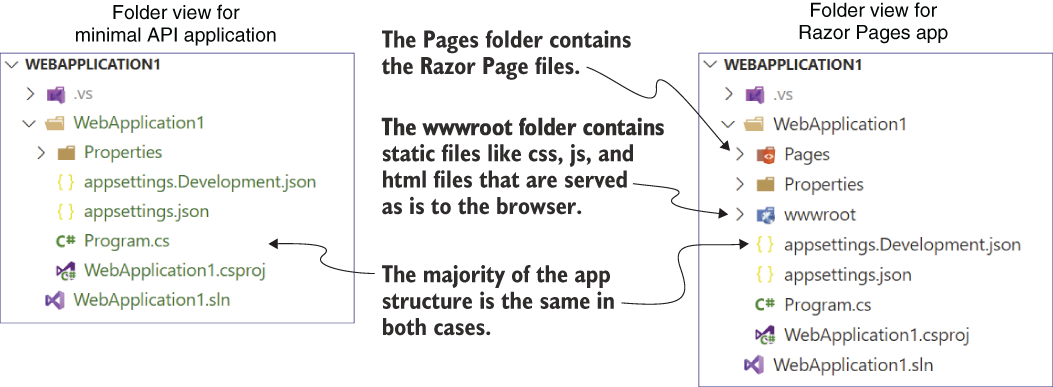
Compare the Pages folder with the project structure of a minimal API application. section 13.1.1
