A map projection converts geographic positions on a globe into coordinates on a flat surface. Every projection distorts geographic data, so the choice affects a map’s appearance and suitability. section 13.0 section 13.2.1
Choose a projection according to the map’s geographic extent and visual purpose:
- Azimuthal projections place the sphere directly onto a plane; distortion increases away from the central point. section 13.2.1
- Conic projections unroll a cone and suit long east–west regions because distortion remains constant along horizontal parallels. section 13.2.1
- Cylindrical projections unroll a cylinder and enlarge regions near the poles; Mercator is a standard example. section 13.2.1
- Composite projections combine several projections to display separated regions, such as Alaska and Hawaii with the continental United States. section 13.2.1
A D3 map follows three steps: define a projection, connect it to a geo path generator, and append geometry paths to an SVG container. Translation and scale adjust the projection’s placement and size. section 13.2.1
Projecting cities onto a D3 map
Pass a city’s longitude and latitude to the projection to obtain its SVG coordinates, then draw a circle at that position. A radial scale can make each circle represent the number of people associated with that city. section 13.2.4 section 13.2.4
Figure 13.1 In this chapter, we’ll build a world map using an Equal Earth projection from GeoJSON data and a map of France using a Mercator projection from TopoJSON data.
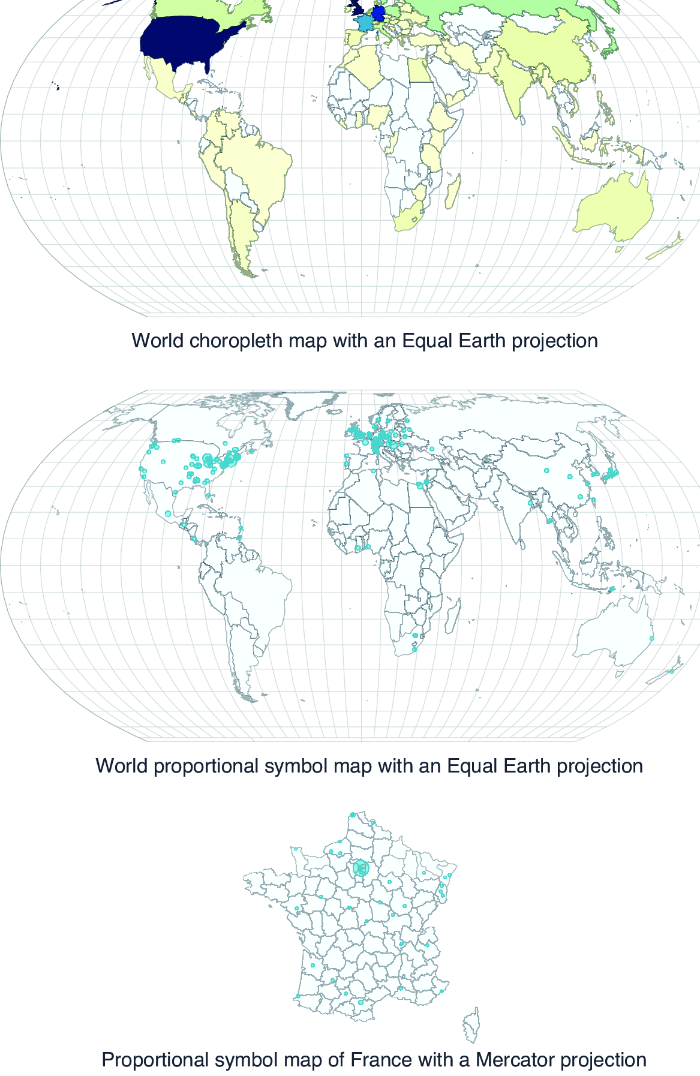
Compare an Equal Earth world map with a Mercator map of France to see how projection choice changes the displayed layout. section 13.0
