A CSS editor is an interactive workspace for entering CSS property definitions and immediately seeing how they affect a web page. Type CSS alongside HTML, inspect the Results box, then revise the code or try another experiment. section 1.5
Use the editor in a simple loop:
- Enter the CSS property definitions you want to try. section 1.5
- Examine the Results box to see the browser-like rendering. section 1.5
- Repeat the process to fix problems or experiment with different styles. section 1.5
Try a style change
Enter CSS for a page’s HTML, check the Results box, and adjust the definitions until the displayed page matches the intended appearance. section 1.5
Figure 1.5 The Web Design Playground lets you play with HTML and CSS online.
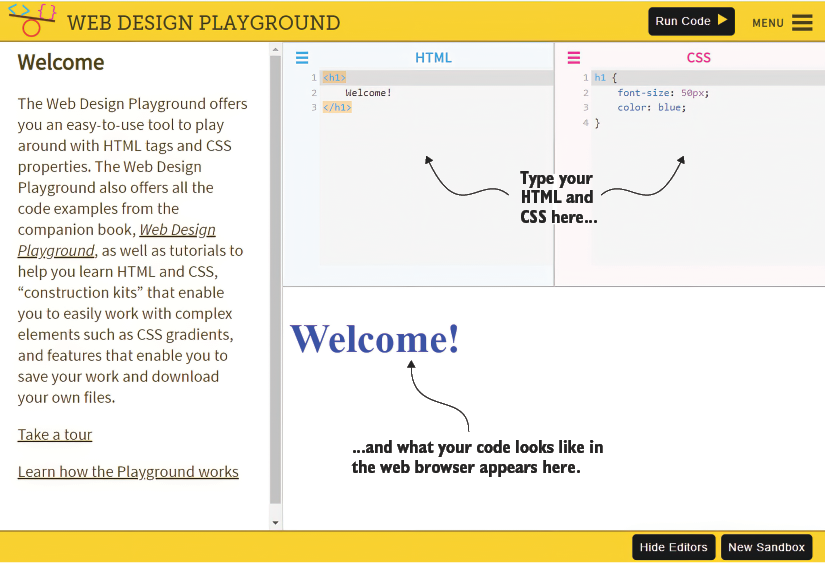
Use the playground view to orient yourself among the HTML editor, CSS editor, and rendered results. section 1.5
