Web Design Playground is an online workspace for experimenting with HTML tags and CSS properties, previewing browser-like results, and learning through guided lessons and activities. section 1.5
A typical experiment follows this cheerful little loop:
- Type HTML tags and any required attributes in the HTML editor. section 1.5
- Enter CSS property definitions in the CSS editor. section 1.5
- Check the Results box to see how the code renders in a web browser. section 1.5
- Repeat the process to fix problems or try different values. section 1.5
Load, tweak, and play
Choose a lesson to load its introduction, examples, and activities automatically. Then change the supplied HTML or CSS, inspect the result, save the work, or download the resulting files. section 1.5
Figure 1.5 The Web Design Playground lets you play with HTML and CSS online.
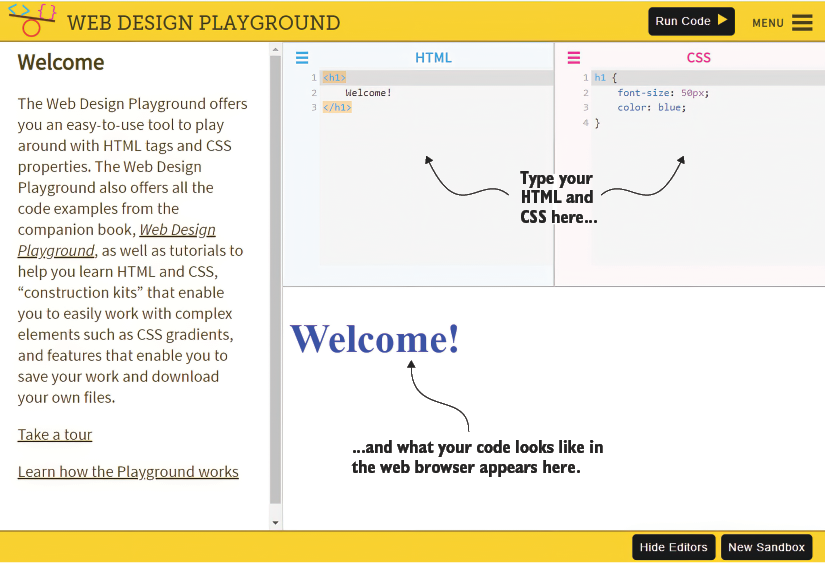
The interface view makes the playground’s central promise visible: edit HTML and CSS online, then see the rendered result. section 1.5
