A migration history is the chronological record of database changes applied by a project. Unlike the live schema, which shows only the current state, ordered migrations reveal when features, maintenance decisions, and major business concepts appeared. section 7.7
Read the migration folder as a fossilized product roadmap. Ignore most renames, type fixes, and indexes; look for migrations that introduce entirely new concepts and explain why neighboring tables did not necessarily launch together. section 7.7
A practical reconstruction workflow:
- Locate the framework’s migration directory: Rails uses db/migrate/, Django uses migrations/0*.py, and Prisma uses packages/prisma/migrations/. section 7.7
- List filenames oldest first; timestamped names provide a compact input for chronological analysis. section 7.7
- Cluster migrations into four to six historical acts, naming each act after the business concept being shipped or solved. section 7.7
- Validate the resulting roadmap against the current schema, which preserves the destination but erases much of the sequence. section 7.7
From filenames to product history
Give an LLM the oldest-first migration names and ask: “Cluster these migrations into 4–6 acts. Skip renames, type fixes, and indexes unless they mark a product decision. Name each act after what the team was selling or solving, not after the files.” The output should contain one chronological, bold-headed paragraph per act. section 7.7
Figure 7.8 The migration folder tells the story that the final schema erases. On the left, migrations from August 2021 to March 2023 add tables for team features (Team, Payment, Workflow). On the right, a pivot to enterprise features begins in May 2023 with the Organization table. This history is obvious when reading the migrations in order but invisible in the current schema.
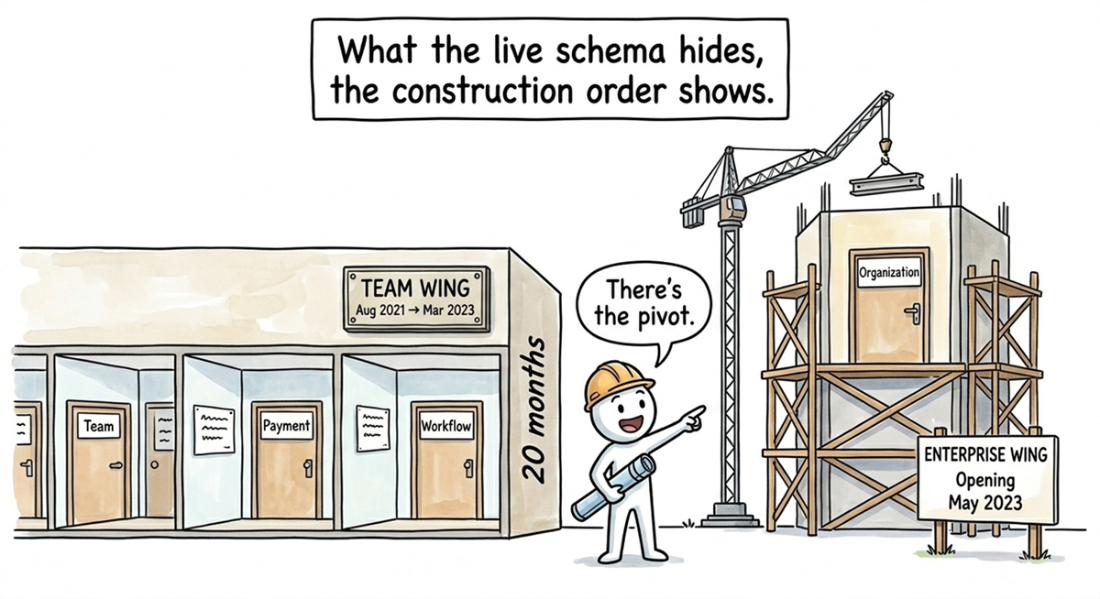
Compare the migration timeline with the final schema: team features appear before the later enterprise pivot, a sequence the current schema alone hides. section 7.7
