MongoDB Compass is a graphical interface for querying, optimizing, analyzing, and managing MongoDB data visually. It provides schema visualizations, performance metrics, query construction, index management, and performance profiling. section 3.3 section 3.9
A practical Compass workflow includes:
- Install a version compatible with the operating system, launch Compass, and connect with a MongoDB deployment URI, such as an Atlas cluster URI. section 3.3
- Explore databases and collections, enter or generate queries in the query bar, and use Add Data, Export Data, Update, and Delete to manage records. section 3.3
- Open mongosh from Compass when direct command-line interaction is preferable. section 3.3
- Use the Aggregation Pipeline Builder to assemble and configure multiple stages for data processing. section 3.3 section 1.5
Figure 3.1 You can connect to a MongoDB deployment with the MongoDB Compass application. Enter a MongoDB connection string in the New Connection window. (Image © MongoDB 2025)
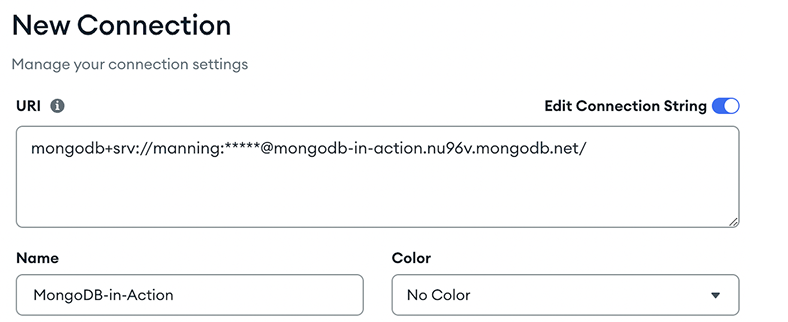
The connection interface shows where to enter a deployment URI, name the connection, and choose Save, Connect, or Save & Connect. section 3.3
Figure 3.2 The Aggregations tab is where you can add various stages of data processing. (Image © MongoDB 2025)

The Aggregations tab provides a visual workspace for adding stages to an aggregation pipeline. section 3.3
