A monochrome color scheme builds a palette from one hue, using variations in saturation and brightness. Keeping colors within one family reduces clashes, simplifies busy interfaces, and can create a harmonious visual tone. section 9.2.1
Apply a monochrome palette by layering variations of one base color:
- Choose a primary hue, then reduce saturation to create supporting colors and very light tones. section 9.5
- Keep the hue while adjusting saturation and brightness to build gray and neutral swatches. section 9.5
- Use the most vibrant color for attention areas such as headlines, primary buttons, and checked controls. section 9.5
- Reserve lighter and quieter variations for secondary information, backgrounds, logos, icons, and supporting text. section 9.5
- Check text contrast and pair color with labels or icons so meaning does not depend on color alone. section 9.9
Travel landing page
A violet-blue palette can guide a travel landing page: the vibrant base color highlights the headline, search button, and checked checkboxes; quieter variations support the logo, secondary tiles, text, and icons. A high-fidelity wireframe provides the structure before color is layered onto the interface. section 9.5
Figure 9.10 The Web We Want website is an example of a monochromatic color scheme applied to a website.
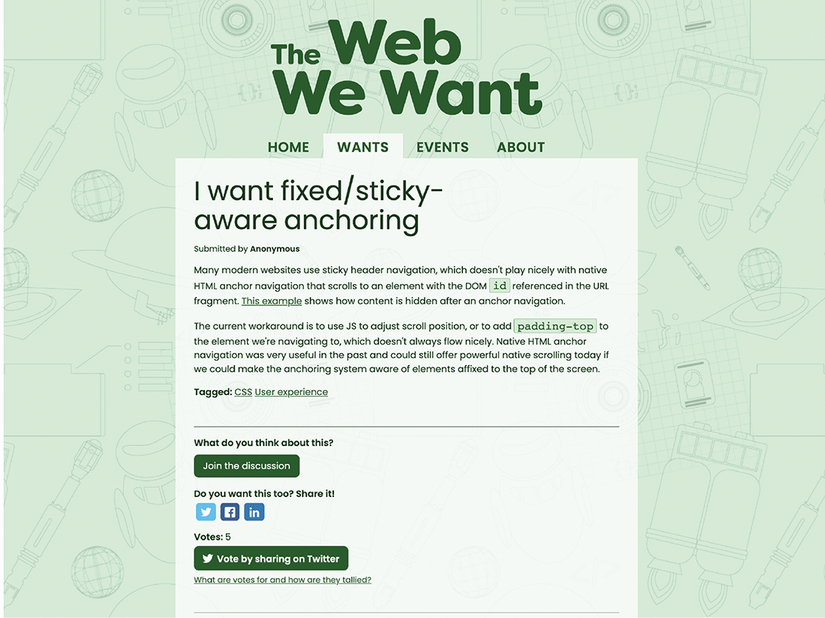
Use the website example to see how a monochromatic scheme can be applied across a complete interface. section 9.2.1
