Multihoming sends different data collected from Azure virtual machines to multiple Log Analytics workspaces. Separating performance data from security events can reduce Sentinel-related ingestion costs when performance data provides limited security value. section 9.1.4
Azure Monitor Agent supports multihoming through data collection rules. A single agent can collect logs and performance counters from Windows or Linux VMs, while DCRs determine which data types go to which destinations. section 9.1.4 section 9.4.1
Configure multihoming by following this sequence:
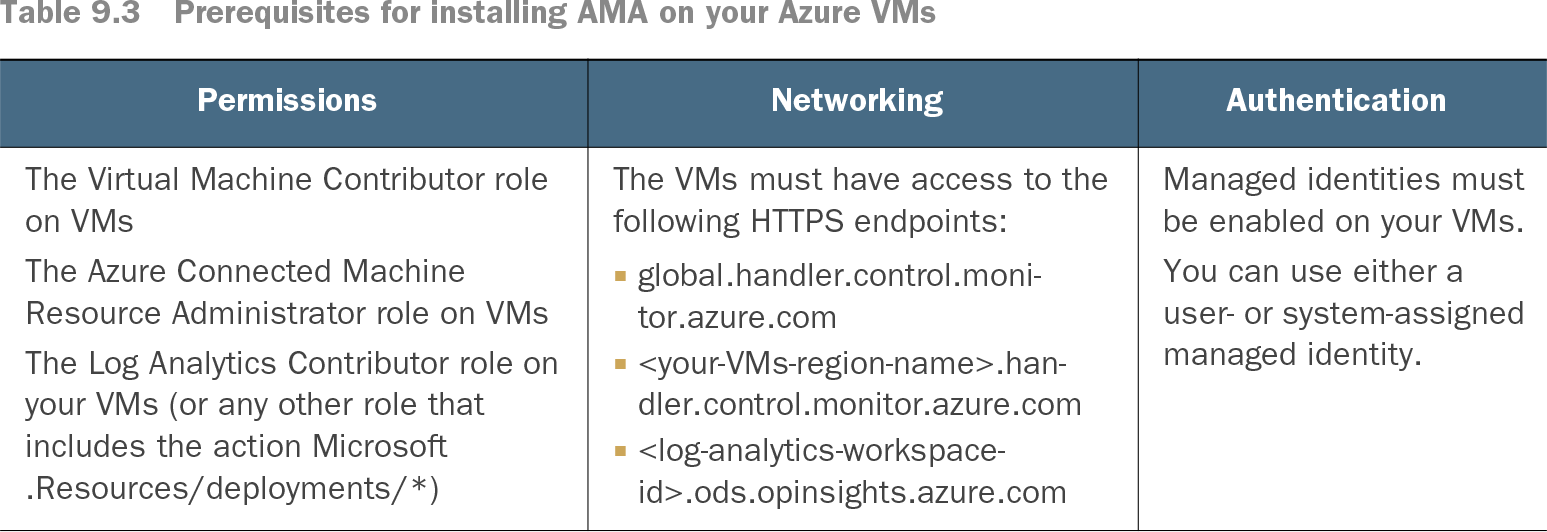
- Install AMA on the target VMs and use managed identity authentication; automatic extension upgrades can be enabled during installation. section 9.1.4
- Create a DCR and select the required data sources, such as Linux authentication logs or performance counters. section 9.4.1
- Add destinations for the selected data, assigning different data types to multiple Log Analytics workspaces where appropriate. section 9.4.1
- Review and create the DCR, then use the collected data with monitoring and alert rules to identify anomalous usage. section 9.4.1
Table 9.3 Prerequisites for installing AMA on your Azure VMs (view table figure)
Check required permissions, HTTPS endpoints, and managed identity settings before installing AMA on Azure VMs. section 9.1.4
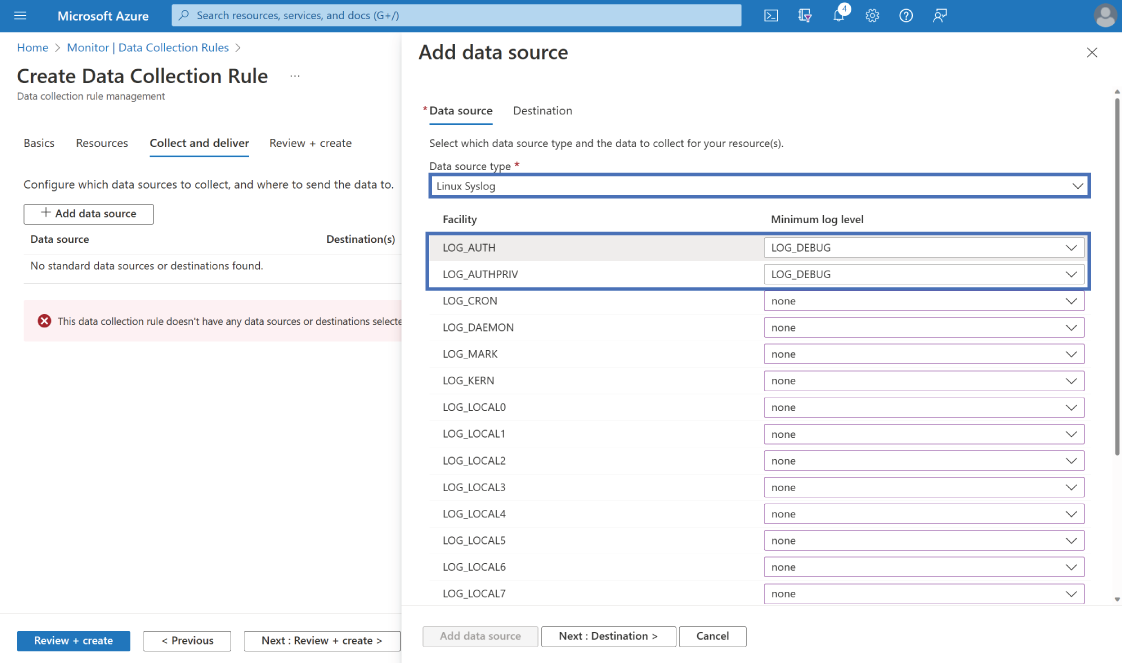
Use the data-source configuration view to choose which logs or performance data the DCR collects before assigning destinations. section 9.4.1