Notation is the system of writing that visually represents DSL content so domain experts can understand and author it. A DSL may use diagrams, tables, icons, or text; it may resemble a well-designed document rather than conventional source code. section 1.4.1 section 1.1
Notation is assembled from a small set of visual building blocks:
- Textual DSLs use keywords, identifiers, strings, and numbers, with styling that can communicate each category’s meaning. section 1.4.1
- Graphical DSLs use boxes, slots, lines, arrows, labels, icons, or tables. section 1.4.1
- Keeping the building-block set small makes the language easier to parse visually and understand. section 1.4.1
- A projection converts DSL content into a visualization, commonly content rendered in a web browser; adding editing turns it into a DSL editor. section 1.4.1 section 1.5
Car-rental notation
A textual car-rental DSL can present domain information as readable document-like content, with references to attributes rendered as web links. This keeps business knowledge visible to domain experts while giving each textual element a defined role. section 1.4.1
Figure 1.19 Zooming in on the notation aspect of a DSL
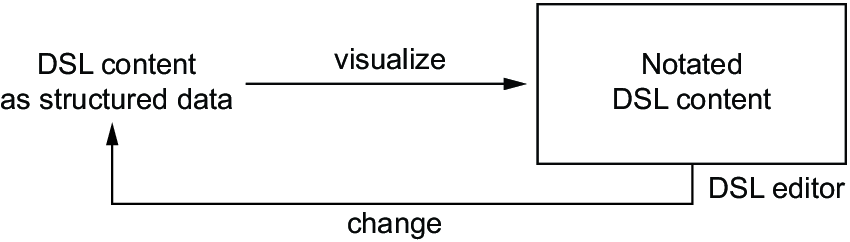
Use the diagram to distinguish DSL content from the notation that visualizes it. section 1.4.1

