A project’s package.json records its package requirements and settings used by development tools. In the project folder, run `npm init --yes` to create it; subsequent `npm install` commands update its package entries. section 2.2.1 section 5.3
Three entries do different jobs:
- `devDependencies` records tools needed during development, such as `typescript` and `tsc-watch`; install them with `npm install --save-dev`. `dependencies` records packages included in the application. section 5.3
- `scripts` gives NPM commands to run. For example, a `start` script can run `tsc-watch --onsuccess "node dist/index.js"`; `npm start` then compiles, runs the output, and watches for changes. section 7.1
- `type` selects the module format for Node.js: `"module"` for ECMAScript modules or `"commonjs"` for CommonJS modules. section 4.5.1
A project configuration
In `package.json`, the relevant entries can be `"scripts": { "start": "tsc-watch --onsuccess \"node dist/index.js\"" }`, `"devDependencies": { "tsc-watch": "^6.0.0", "typescript": "^5.0.2" }`, and `"type": "module"`. This combines a development command, tool requirements, and a module-format choice. section 5.8 section 5.3
The module choice also affects nearby files. With `"module": "Node16"` in `tsconfig.json`, the compiler uses package.json to determine the module format. Node.js ECMAScript-module imports need the generated JavaScript extension even in TypeScript source: write `import { sum } from "./calc.js"`, not `"./calc"`. Setting `"type": "module"` alone does not fix an extensionless import. section 2.3.1 section 5.8
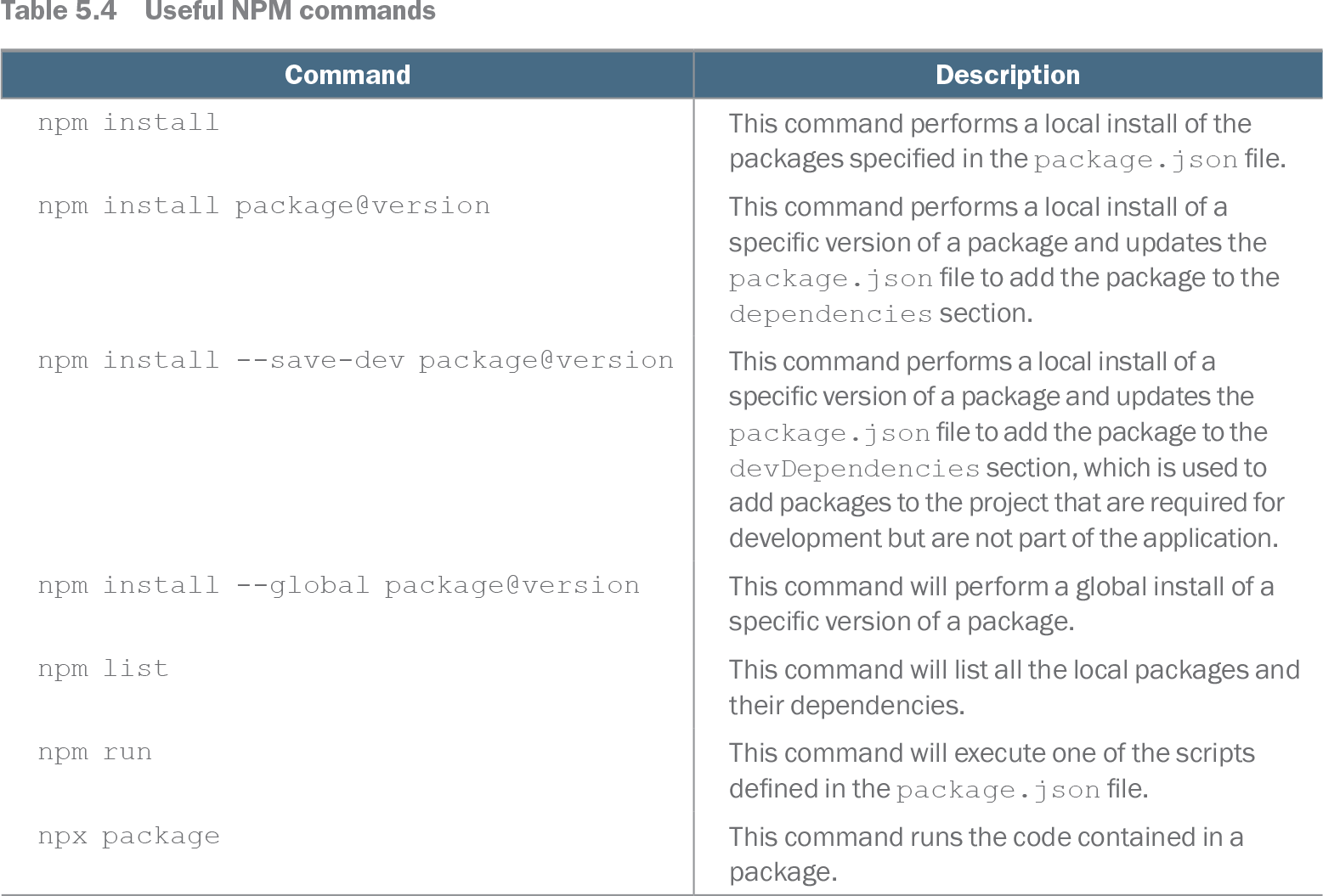
Table 5.4 Useful NPM commands (view table figure)
| Command |
Description |
|---|---|
| npm install |
This command performs a local install of the packages specified in the package.json file. |
| npm install package@version |
This command performs a local install of a specific version of a package and updates the package.json file to add the package to the dependencies section. |
| npm install --save-dev package@version |
This command performs a local install of a specific version of a package and updates the package.json file to add the package to the devDependencies section, which is used to add packages to the project that are required for development but are not part of the application. |
| npm install --global package@version |
This command will perform a global install of a specific version of a package. |
| npm list |
This command will list all the local packages and their dependencies. |
| npm run |
This command will execute one of the scripts defined in the package.json file. |
| npx package |
This command runs the code contained in a package. |
Use the NPM command table to check which install commands read package.json and which add entries to `dependencies` or `devDependencies`. section 5.3