Postman is a graphical tool for calling REST endpoints and checking whether they respond as expected. Configure and send a request in its interface, then inspect the response; cURL offers a command-line alternative when a GUI is unavailable. section 10.2
Figure 10.3 Postman offers a friendly interface to configure and send an HTTP request. You select the HTTP method, set the HTTP request URI, and then press the Send button to send an HTTP request. You can also define other configurations, such as the request parameters, headers, or the request body if needed.
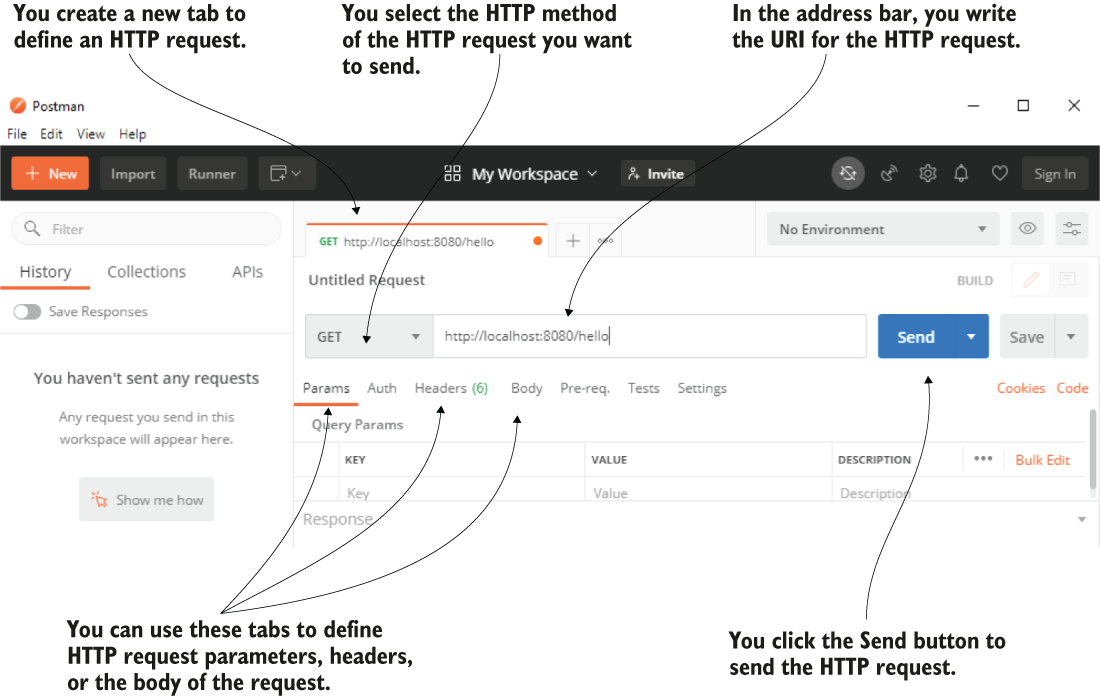
Choose the HTTP method and request URI, then optionally set parameters, headers, or a body before sending. section 10.2
Figure 10.4 Once the HTTP request completes, Postman displays the HTTP response details. You find the response status, the time it took the request to complete, the amount of transferred data in bytes, the response body, and the headers.
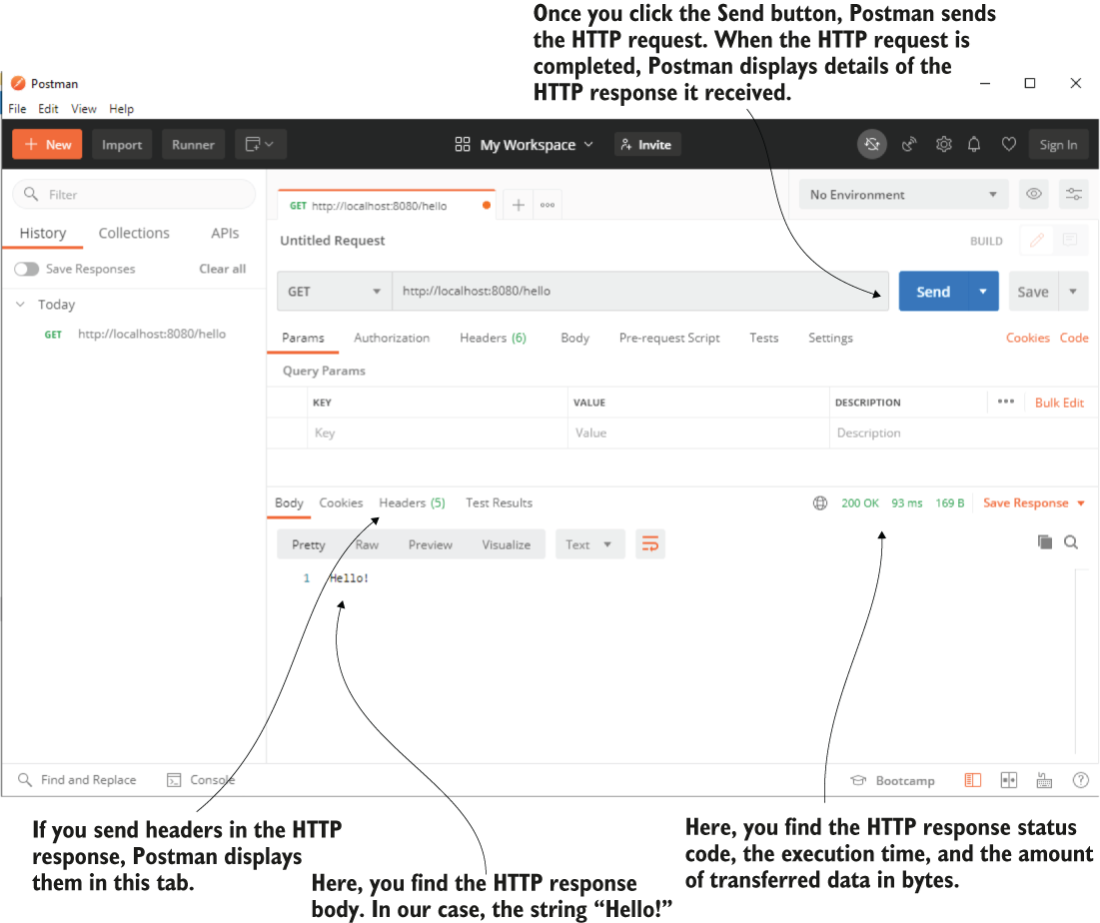
After sending, review response details including status, duration, transferred data, body, and headers. section 10.2

