A PowerShell host is the interface that connects you to the PowerShell engine. You enter commands through the host, while the engine executes them and the host displays results or collects requested input. section 17.1
Common hosting environments include:
- The console host, which provides the familiar command-line experience. section 17.1
- The integrated host, represented by the PowerShell Integrated Console in Visual Studio Code. section 17.1
- Unattended hosts such as the PowerShell worker for Azure Functions, where no interactive input is available. section 17.1
The host controls how input is requested and how output appears. This explains why the same command can behave differently in a terminal, VS Code, or an unattended cloud environment. section 17.1
Sending output to the host or a file
Running Dir displays directory information through the host. Dir | Out-Host makes that destination explicit, while Dir | Out-File DirectoryList.txt redirects the formatted output to a file. section 6.3
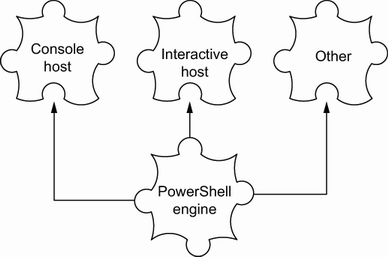
Use the figure to compare how different applications host the PowerShell engine and handle interaction. section 17.1
