A private container registry stores container images behind access restrictions, giving a proprietary application a controlled place to publish images before deployment. section 3.0
Use the registry in a deployment workflow:
- Package a microservice and its dependencies into a Docker image. section 3.0
- Publish the image to the private registry. section 3.6
- Pull or instantiate the image locally, then deploy it to a Kubernetes cluster. section 3.0 section 3.6
Creating an Azure registry
Create the registry through the Azure portal by choosing Create a Resource, searching for Container Registry, selecting the Microsoft service, and completing its configuration. Review its authentication details before publishing images. Destroy unused resources later to avoid continued charges; the same registry can subsequently be defined with Terraform. section 3.9.1 section 7.9
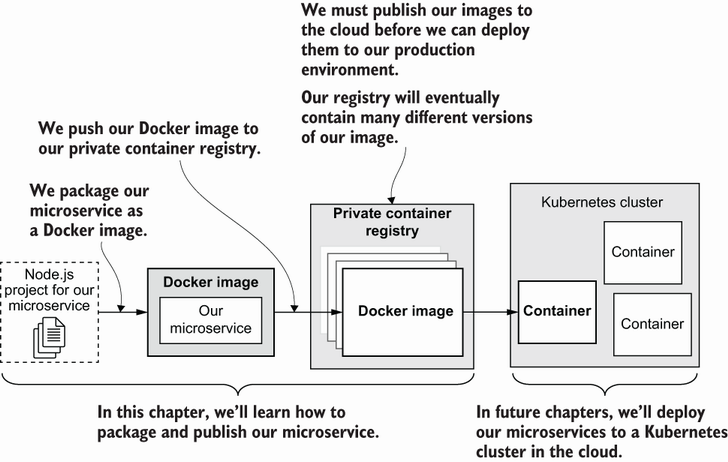
Shows the path from a Node.js microservice project to a Docker image, private cloud registry, and eventual Kubernetes deployment. section 3.6
