Qodo is a software-development tool that uses an AI PR Agent to generate pull-request descriptions and related change summaries. section 13.3
Use Qodo’s /describe command to produce:
- A clear pull-request title and description. section 13.3
- An impact summary describing potential effects of the code changes. section 13.3
- A code walkthrough and automatic pull-request labels. section 13.3
- A customized subset of these outputs, or automatic execution through GitHub Actions when selected pull-request events occur. section 13.3
A practical workflow
A developer opens a pull request and runs /describe. Qodo generates a title, change description, impact summary, walkthrough, and labels; the developer can retain only the description or automate the command for future pull requests. section 13.3
Figure 13.2 Output of Qodo /describe command, showing type of change, PR description, and change walkthrough
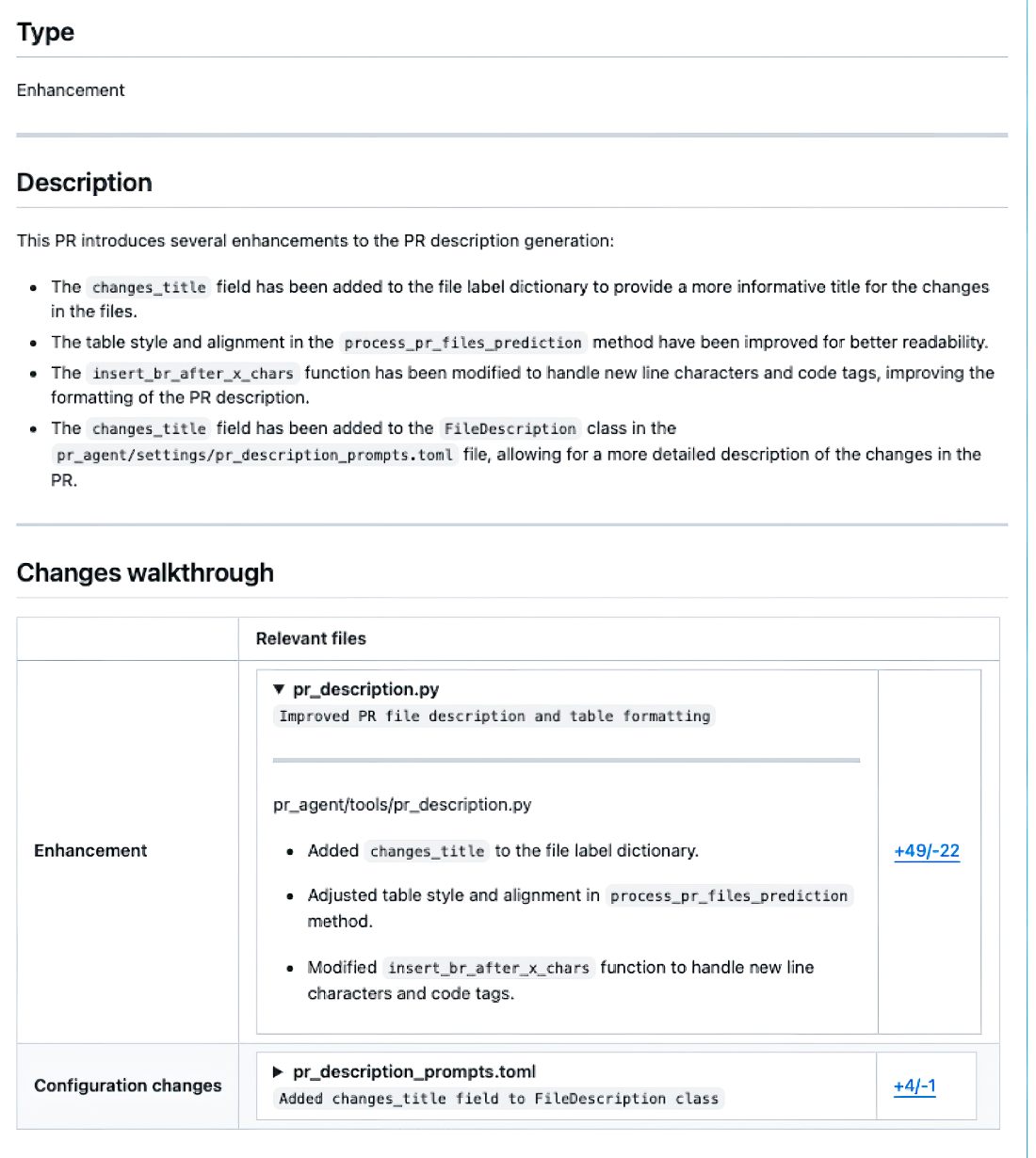
Inspect an example of Qodo’s /describe output, including change type, pull-request description, and walkthrough. section 13.3
