The Read File component is the first stage of a document-ingestion workflow. It opens a file uploaded from your machine and outputs the raw text it contains. section 4.2
In a RAG flow, connect its text output to Split Text so the document can be divided into chunks, transformed into embeddings, and stored for later retrieval. section 4.2
Use the component in a short, practical sequence:
- Open Langflow, create a blank flow, and add Read File from the Files & Knowledge components or search box. section 4.2
- Click Select Files, upload a document, and confirm the selection. section 4.2
- Run the component and inspect the output to verify the extracted text. section 4.2
- Connect the output to Split Text when preparing the document for downstream retrieval. section 4.2
The Advanced Parser option can preserve more document structure and return markdown or structured data, but it is not required for basic text extraction. section 4.2
Extracting a PDF menu
Upload Enzo’s menu PDF, run Read File, and inspect the extracted menu text. Then pass that text to Split Text to prepare chunks for a pizza-question-answering flow. section 4.2
Figure 4.10 The Read File component lets you extract text from document files.
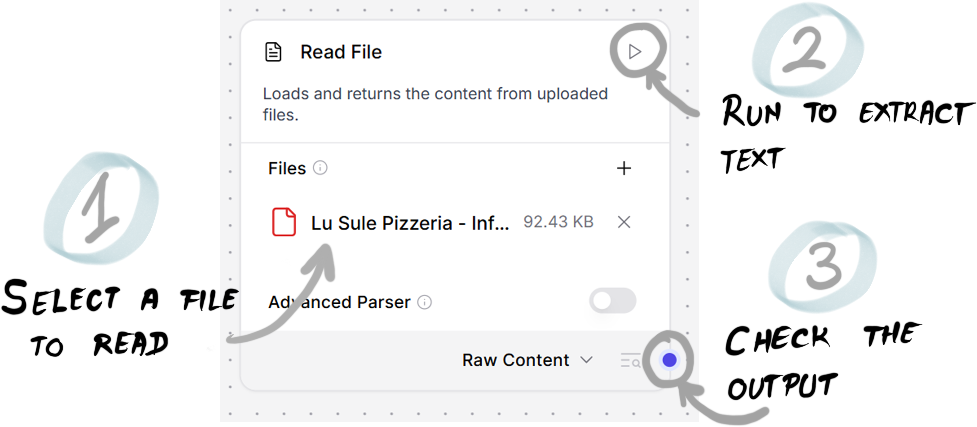
Use the interface figure to recognize the Read File component and its file-selection control. section 4.2
