A remote access VPN provides an on-demand, encrypted connection from one end-user device to an organization's internal resources across the public internet. The device connects directly to the organization's firewall or router rather than sharing a tunnel with other devices. section 16.3.2 section 16.4
Identify a remote access VPN by its operating characteristics:
- Use TLS as the typical protocol; IPsec is also an option. section 16.3.2
- Install VPN client software on the end-user device; Cisco AnyConnect is one example. section 16.3.2
- Create a separate encrypted tunnel for every simultaneously connected device. section 16.3.2
- Provide secure access to internal resources such as company file servers, especially for remote workers. section 16.3.2
Remote worker access
A remote employee launches AnyConnect on a device connected to the internet. The client establishes an encrypted TLS tunnel to the company's firewall or router, allowing access to internal file servers. section 16.3.2
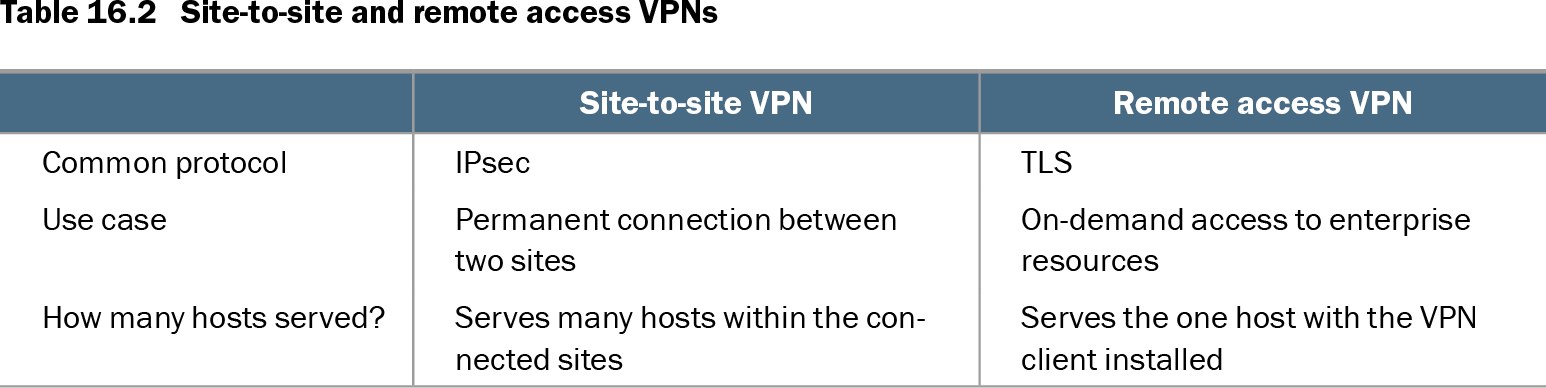
Table 16.2 Site-to-site and remote access VPNs (view table figure)
| Site-to-site VPN |
Remote access VPN |
|
|---|---|---|
| Common protocol |
IPsec |
TLS |
| Use case |
Permanent connection between two sites |
On-demand access to enterprise resources |
| How many hosts served? |
Serves many hosts within the connected sites |
Serves the one host with the VPN client installed |
Compare remote access VPNs with site-to-site VPNs by protocol, connection lifetime, and the number of hosts served. section 16.3
Do not confuse a remote access VPN with HTTPS. Both commonly use TLS, but a remote access VPN tunnels traffic between an end-user device and an organization's firewall or router, whereas HTTPS secures access between the device and a web server. TLS protocol internals are outside the stated CCNA scope; SSL is the deprecated name still commonly used for TLS. section 16.3.2