A root component sits at the top of an application's component hierarchy and contains the whole application view, divided into subcomponents. Passing it to createApp() gives the framework a single starting point for rendering the interface. section 9.0 section 12.4
The root component establishes several practical responsibilities:
- Provide the view from which the component hierarchy is rendered. section 9.0
- Receive optional props through createApp(RootComponent, props). section 12.4
- Let child components own their state instead of requiring one global state object and reducers. section 9.0 section 12.4
- Serve as the reference point for DOM patching without a parent component or component offset. section 9.3.4
Mounting a root component
function createApp(RootComponent, props = {}) { let vdom = null return { mount(parentEl) { vdom = h(RootComponent, props) mountDOM(vdom, parentEl) }, unmount() { destroyDOM(vdom) vdom = null }, } } The application creates a virtual DOM representation of the root component, mounts it into the parent element, and later destroys it during unmounting. Production-style framework code also guards against mounting an already-mounted application or unmounting one that is not mounted. section 12.4
Figure 12.7 The new version of the framework’s application instance requires only the root component.
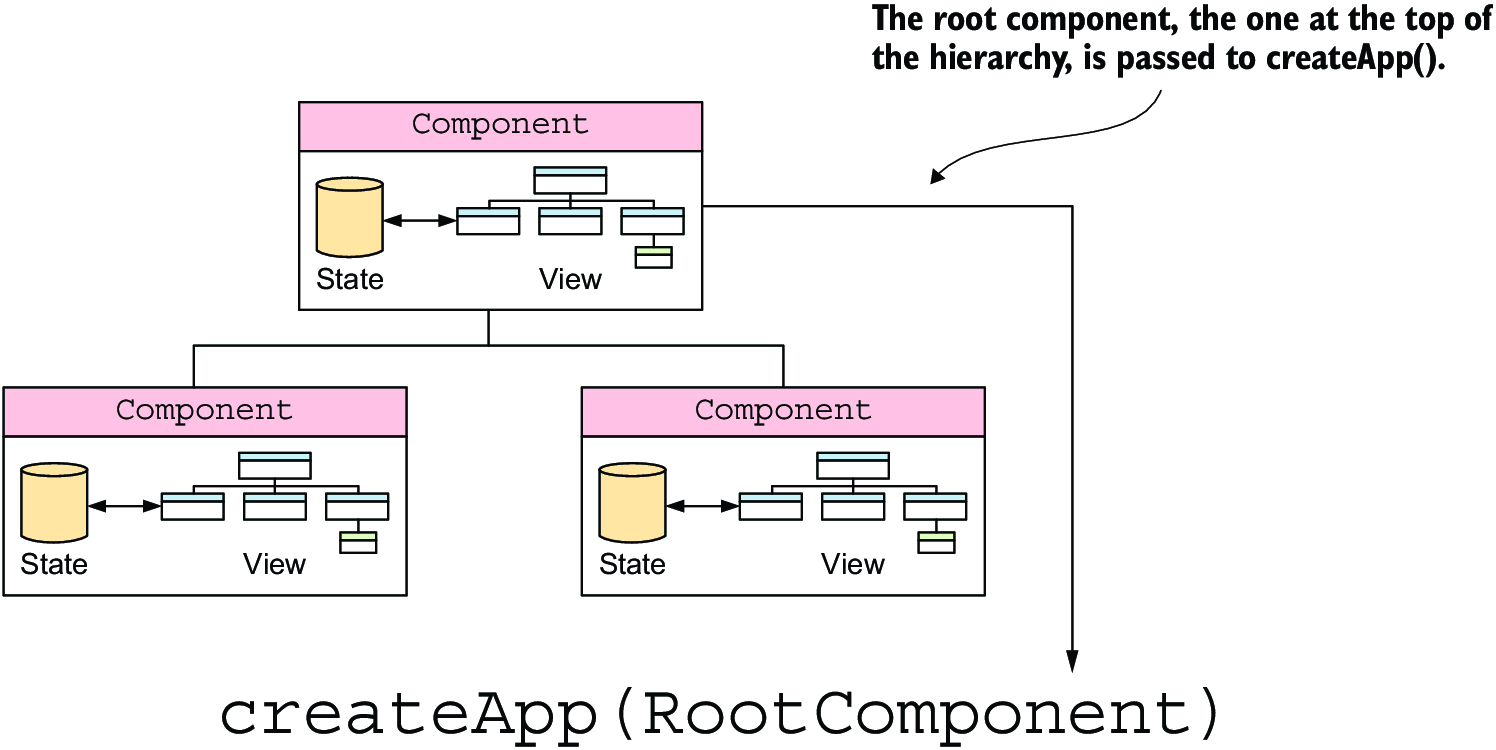
Compare the earlier application shape, which requires global state and reducers, with the newer shape, which requires only the root component. section 12.4

