Rule logic defines the query evaluation that determines whether activity crosses an alert threshold and creates an incident. In Microsoft Sentinel, scheduled-rule logic can be tested against current data before activation. section 8.4.4
A practical rule-logic workflow includes:
- Write a query that counts failed logins by account and computer. section 8.4.4
- Run a simulation using current data to estimate results per day. section 8.4.4
- Compare simulated results with the alert threshold; values above the threshold create incidents. section 8.4.4
- Configure query scheduling and the alert threshold as part of the scheduled-rule wizard. section 8.4.4
Detecting repeated failed logins
A rule can identify a possible brute-force attack by counting failed logins and notifying security staff when a user exceeds 10 failures within five minutes. High severity is appropriate for this scenario. section 8.4.4
Figure 8.5 Test with current data runs a simulation of the query you’re writing on top of your own data
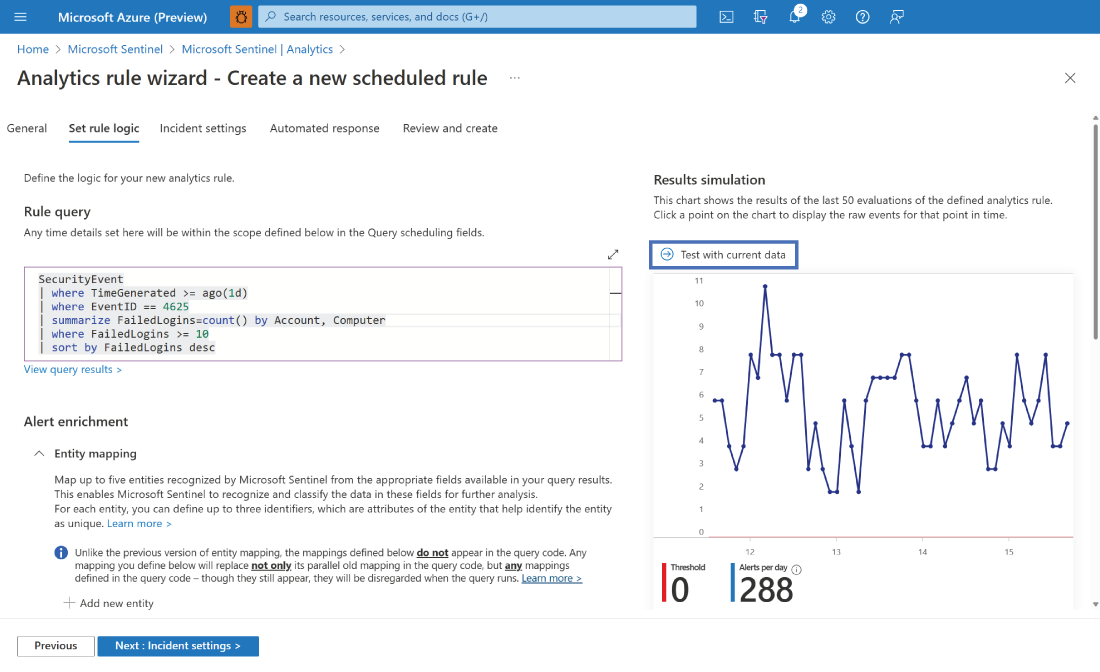
Use the simulation figure to inspect how current query results compare with the incident threshold. section 8.4.4
SecurityEvent
| where TimeGenerated >= ago(1d)
| where EventID == 4625
| summarize FailedLogins=count() by Account, Computer
| sort by FailedLogins desc
Inspect the representative query that filters failed-login events and summarizes them by account and computer. section 8.4.4
Figure 8.6 Configuring query scheduling and alert threshold as part of the scheduled rule configuration
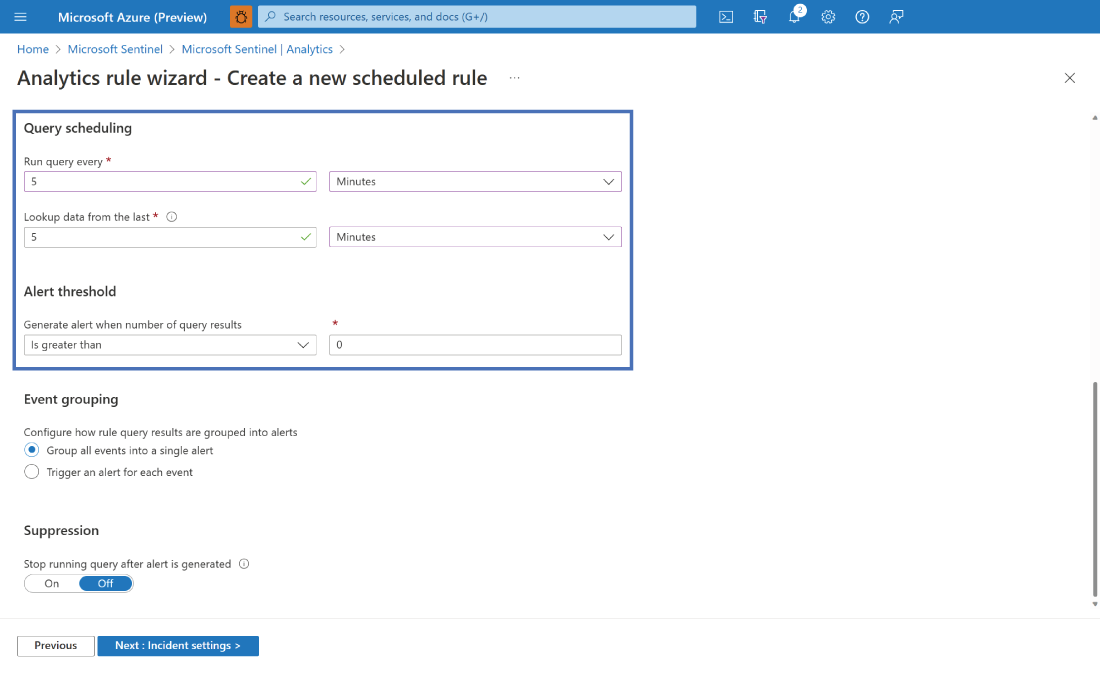
Inspect the configuration view for query scheduling and alert-threshold settings. section 8.4.4
