Runtime variable modification changes an in-scope variable while the debugger has paused execution. The altered value creates a custom investigation scenario without changing the source code or waiting for the original input. section 3.3
Use the technique when:
- A scheduled or otherwise long-running process would take too long to reach the relevant code repeatedly. section 3.3
- The suspected parameter values cannot be reproduced in the available environment, including inaccessible production data. section 3.3
- You want to test a specific hypothesis before deciding how to correct the logic. section 3.3
Testing a missing input case
Pause at the relevant line, replace the in-scope variable s with "abcd", and step over the next operation. Because the string contains no digits, extractDigits() returns an empty list, revealing how the logic behaves under a case you could not otherwise provide. section 3.3
Figure 3.13 When using the step over operation, the app uses the new value you set to the s variable. extractDigits() returns an empty list because string "abcd" doesn’t contain digits. Setting values in variables on the fly enables testing different scenarios even if you don’t have the input data you need.
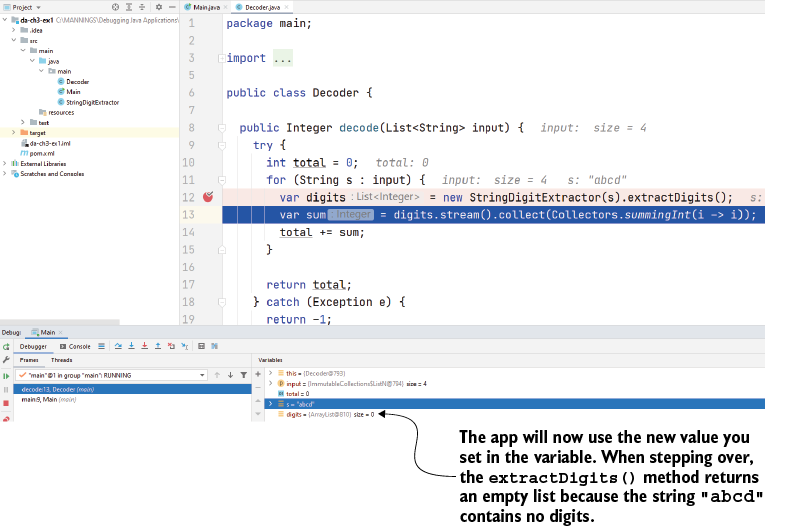
Use the execution trace to connect the replacement value to the observed empty result and verify the suspected branch behavior. section 3.3
