A service account key is a credential containing a private key and other authentication information. Automated Google Cloud workflows use it to authenticate as a service account instead of relying on an individual’s identity. section 11.2.2 section 11.1.2
Prepare a key for an automated Vertex AI pipeline:
- Open the service account, select Keys, choose Add key → Create new key, select JSON, and download the generated file. section 11.2.2
- Upload the JSON file to the Cloud Shell directory where the pipeline script runs, then verify it with ls. section 11.2.5
- Set GOOGLE_APPLICATION_CREDENTIALS to the file’s fully qualified path and confirm the value before running the pipeline. section 11.2.5
Cloud Shell configuration
A pipeline setup can place the key in ~/ml_pipeline and point authentication to /home/ryanmark2023/ml_pipeline/first-project-ml-tabular-039ff1f820a8.json with GOOGLE_APPLICATION_CREDENTIALS. section 11.2.5
Figure 11.6 Selecting the service account
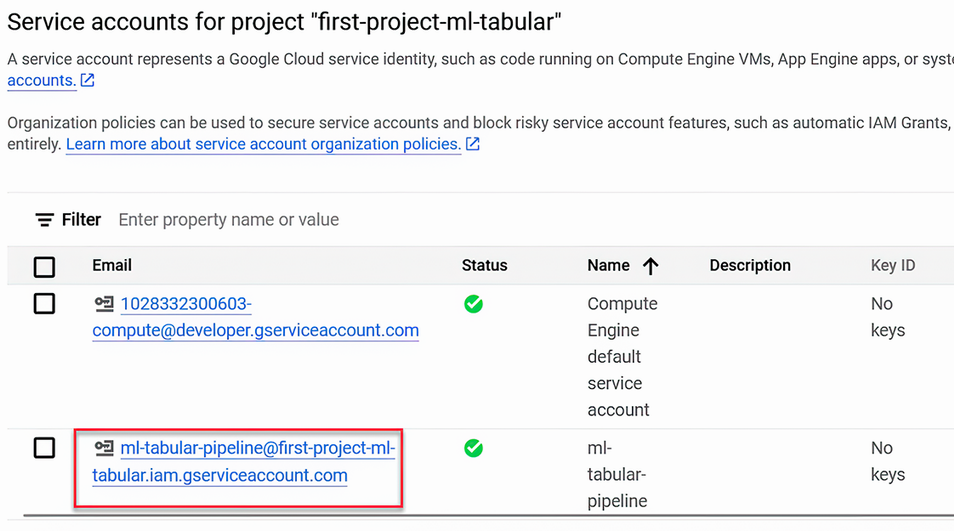
Use the service-account selection and key-creation figures to follow the console workflow from account selection through JSON download. section 11.2.2
