Service Monitor is a Microsoft console utility used as a Windows container entry point. It starts a selected Windows Service and watches its health. section 13.2
Docker expects to monitor one container process, but applications such as ASP.NET hosted in IIS run through a Windows Service and worker process. Service Monitor bridges that mismatch. section 13.2
Use the monitor to align service behavior with container behavior:
- Configure Service Monitor to start the required Windows Service. section 13.2
- Let it watch the service while the container runs. section 13.2
- Allow the monitor to end when the service fails, so the container exits and reports application failure. section 13.2
IIS-hosted ASP.NET application
An IIS container can use Service Monitor to start and watch the IIS Windows Service. IIS then starts w3wp.exe for web requests, while Docker tracks the monitor and receives a container status that reflects the service. section 13.2
Figure 13.5 Monitor tools run a legacy application the way it was designed while making it behave like an ordinary container.
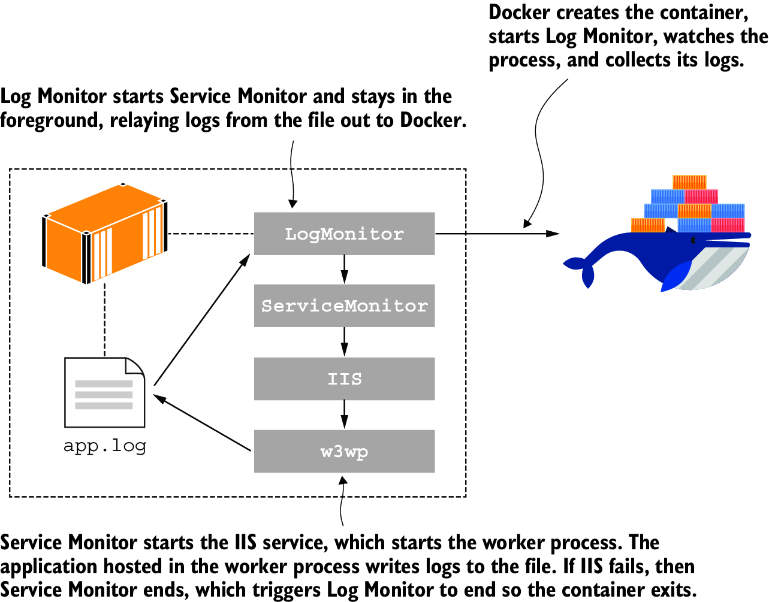
A figure shows how monitor tools preserve a legacy application's original runtime model while making it behave like an ordinary container. section 13.2
