Select the system default locale
setlocale(LC_ALL, ""); selects the system’s default locale for all locale categories. Calling it before printing extended characters can help them display correctly, provided the system is suitably configured. section 8.6 section 14.3
setlocale, declared in <locale.h>, sets or inspects the locale used by locale-sensitive operations. Its category argument selects all or part of the language environment. section 8.6
At program startup, C selects the "C" locale, with essentially American English conventions for numbers, times, and dates. The C standard also provides the empty string "" to select the system default; other available settings depend on the platform. section 8.6
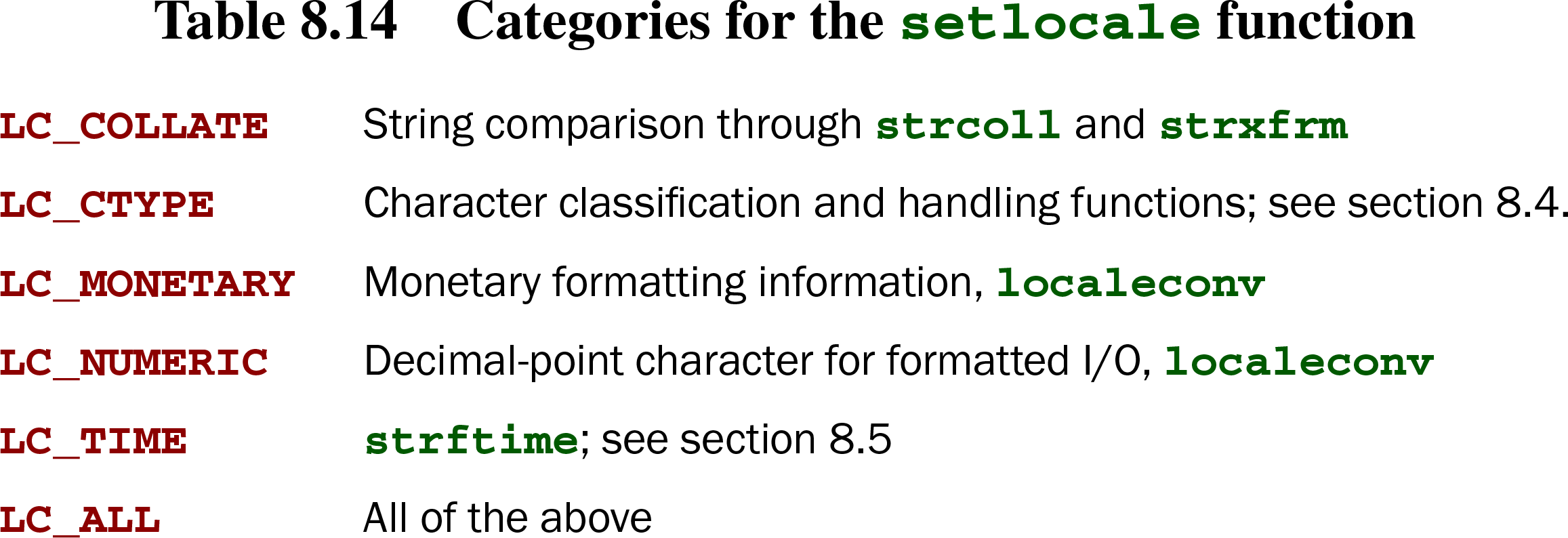
Table 8.14. Categories for the setlocale function (view table figure)
| LC_COLLATE | String comparison through strcoll and strxfrm |
| LC_CTYPE | Character classification and handling functions; see section 8.4. |
| LC_MONETARY | Monetary formatting information, localeconv |
| LC_NUMERIC | Decimal-point character for formatted I/O, localeconv |
| LC_TIME | strftime; see section 8.5 |
| LC_ALL | All of the above |
The category determines which library operations are affected: for example, LC_NUMERIC controls the decimal-point character in formatted I/O, while LC_CTYPE covers character classification and handling. LC_ALL selects all listed categories; a platform may provide others. section 8.6
TAKEAWAY: Selecting the system default is important when working with extended characters, but it does not make a byte count a character count. A multibyte string can contain characters represented by more than one byte. section 14.3